The best insight is the one that’s ready when you need it.
With this release, the AI tabs in the Insight Overlay come to Prospects, Sales Projects and Account Growth Projects, so you get the same instant, structured answers at every stage of the journey.
The right insight, one click away
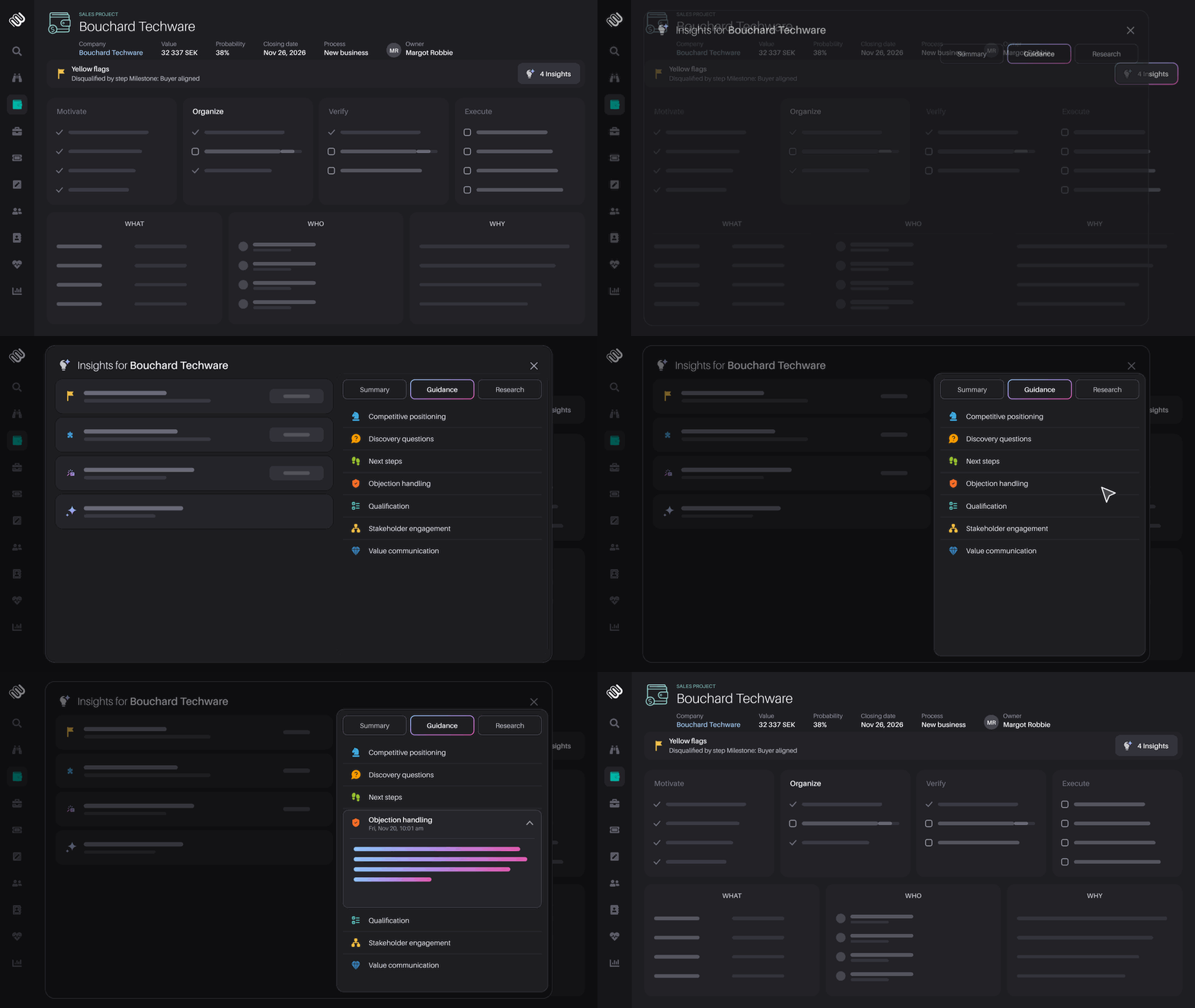
Open the Insight Overlay on any Prospect, Sales Project or Account Growth Project and you’ll find three tabs in the right-hand panel: Summary, Guidance and Research. Each one is ready the moment you open it, so you can move between them without writing a single prompt.
Guidance: your next move, already worked out
Guidance gives you AI coaching for the record in front of you, organized around the moments that matter most in a sale:
- Discovery Questions and Qualification, to understand the customer and test the fit
- Stakeholder Engagement, to make sure you’re talking to the right people
- Value Communication and Competitive Positioning, to make your case stand out
- Objection Handling, to prepare for pushback before it comes up
- Next Steps, to keep the momentum going
Expand any section to see guidance based on that specific prospect, deal or account.
Research you can take in at a glance
Research responses are often rich in detail, and sometimes you only have a minute. Long Research answers now open with a TL;DR: three to five bullet points with the key takeaways. Read the highlights first, then go into the full analysis when you have time.
A quick example
Your next call is with a prospect your colleague handed over last week, and it starts in ten minutes. You open the Prospect and go to the Guidance tab. Discovery Questions gives you what to ask, Objection Handling prepares you for the pricing concern raised in the last meeting, and Next Steps tells you what to aim for by the end of the call. You join with a plan rather than scrolling through the activity history.
Later, an account manager uses Stakeholder Engagement on an Account Growth Project to check who else to involve before the quarterly review.
Try it today
Open any Prospect, Sales Project or Account Growth Project and explore the tabs in the Insight Overlay. To learn more, visit the Insight Engine Help Center. The team is always happy to help you get more out of it.
Enjoying using Membrain? Great!
Help us spread the word about how great Membrain is and write a review on G2Crowd
Help us spread the word about how great Membrain is and write a review on G2Crowd