Sometimes, a simple number doesn't give you what you need.What do you do then? Well, say hello to a new capability in Membrain: The calculation field!
Capturing vital numbers and key dates are naturally central to managing your prospects, opportunities and pipeline. It can help us produce forecasts, plan our resources, coordinate with other departments and more. It's essential.
But sometimes a simple number or a date doesn't help you all the way. It's at times like this you have to bring data out of Membrain to work some Excel magic into the mix. That can be cumbersome and leave you feeling: Oh, it would be great if I could just do this right inside of Membrain.
If you are on the Excellence tier of Membrain the new Calculation field minimizes, hopefully eliminates, that scenario!
This new capability allows you to create a new custom field that you can use on a company, prospect, sales project or even contact and do Excel-like formulas right inside of Membrain.
What would I use it for?
Here are just some examples that you can use this for, but you can definitely be really imaginative on how to use this great addition:
- Add up a group of scorecard fields to produce a total value, or an average
Use that aggregate as a qualifiying tollgate in your process to determine if you should invest more time and resources into an opportunity!
- Calculate a total contract value
If you are capturing several different things in your process and you want to add it all up to produce a total contract value that takes the numbers of "services" and "widgets" you can get a total
- Visualize commission for your sales team
If you have a fairly straight-forward compensation structure you can use calculation fields to take the sales project value and multiply it with another value to show the sales person what kind of commission to expect if they bring a deal in
- Split revenue by fiscal year
Using total contract value as your sales project value but have a monthly revenue model? Use a calculation field to see how much of that revenue will be brought in on this fiscal or calendar year. Take the sales project value, divide it by 12, look at how many months are left in the year compared to the estimated closing date of the sales project and voila!
- Calculate risk in your delivery
How long will you need to safely deliver something to your client? Is the deal too big and a delivery date custom field is telling you you won't be able to promise delivery on time? Great! Now you are made aware of this and can act accordingly, remember a sales is not the end of the journey, but the beginning of a relationship.
How do I set it up?
This is found in the same place as all the other custom fields such as numbers, lists, dates etc. You can reach it by using the Membrain menu and going to the the main Admin page, right under the custom fields header on that page. You can also find it directly from inside of the prospecting campaign editor or sales process editor where you can also create and edit your custom fields.
See this article in the Membrain Help Center to help you get started and give more practical instructions.
There is naturally a lot more you can do here, but we hope these examples can spark your imagination and get you started. This capability is available today, for all Membrain clients on the Excellence tier.


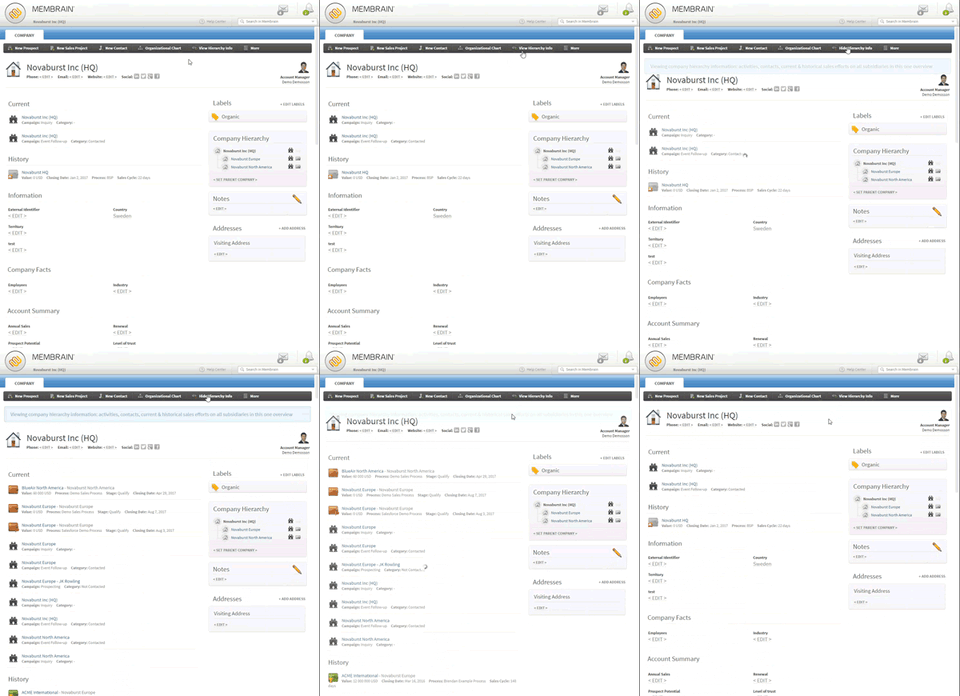 These accounts are usually a lot more complex. You often need to navigate many different branches, locations and stakeholders that are distributed both politically and geographically. It's difficult to gain an overview. If you're on the Excellence tier of Membrain you already have the company hierarchies and organizational chart as a helpful tool.


