Activities show what’s really happening in every deal. This release makes them easier to work with in two ways: you can now focus the Activity Stream on the period that matters, and the Activity Types you use most are closer to hand.
Filter the Activity Stream by date
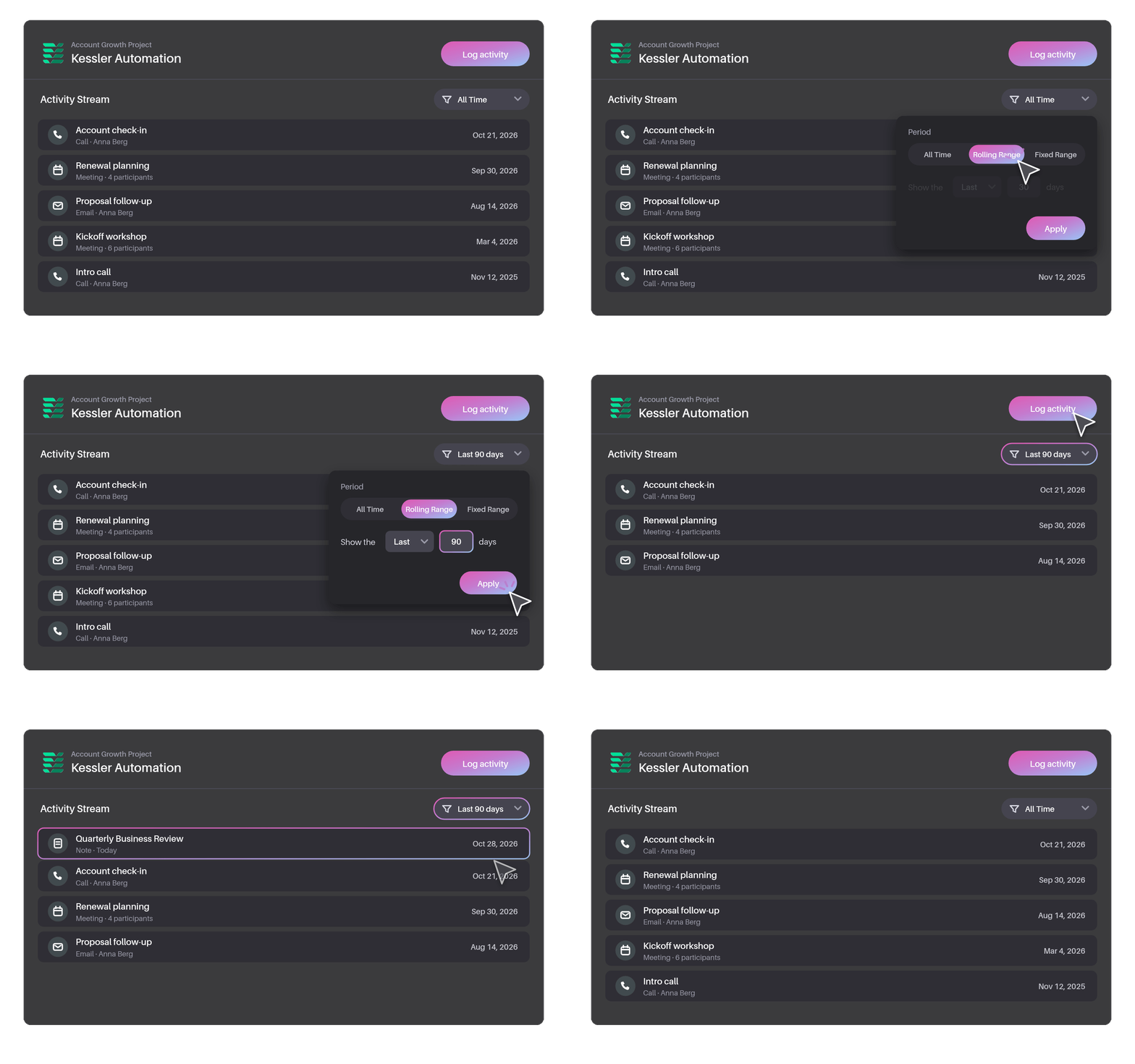
The Activity Stream now has a new Filter dialog.
You can still narrow the stream by Activity Type, and you can now also choose the period you want to see:
- All Time to see the full history
- Rolling Range to see the last or next number of days you choose
- Fixed Range to see a specific start and end date
With a rolling range, you can look back at everything that’s happened in the last 30 days, or look ahead to what’s coming up in the next 7.
Favourite your most used Activity Types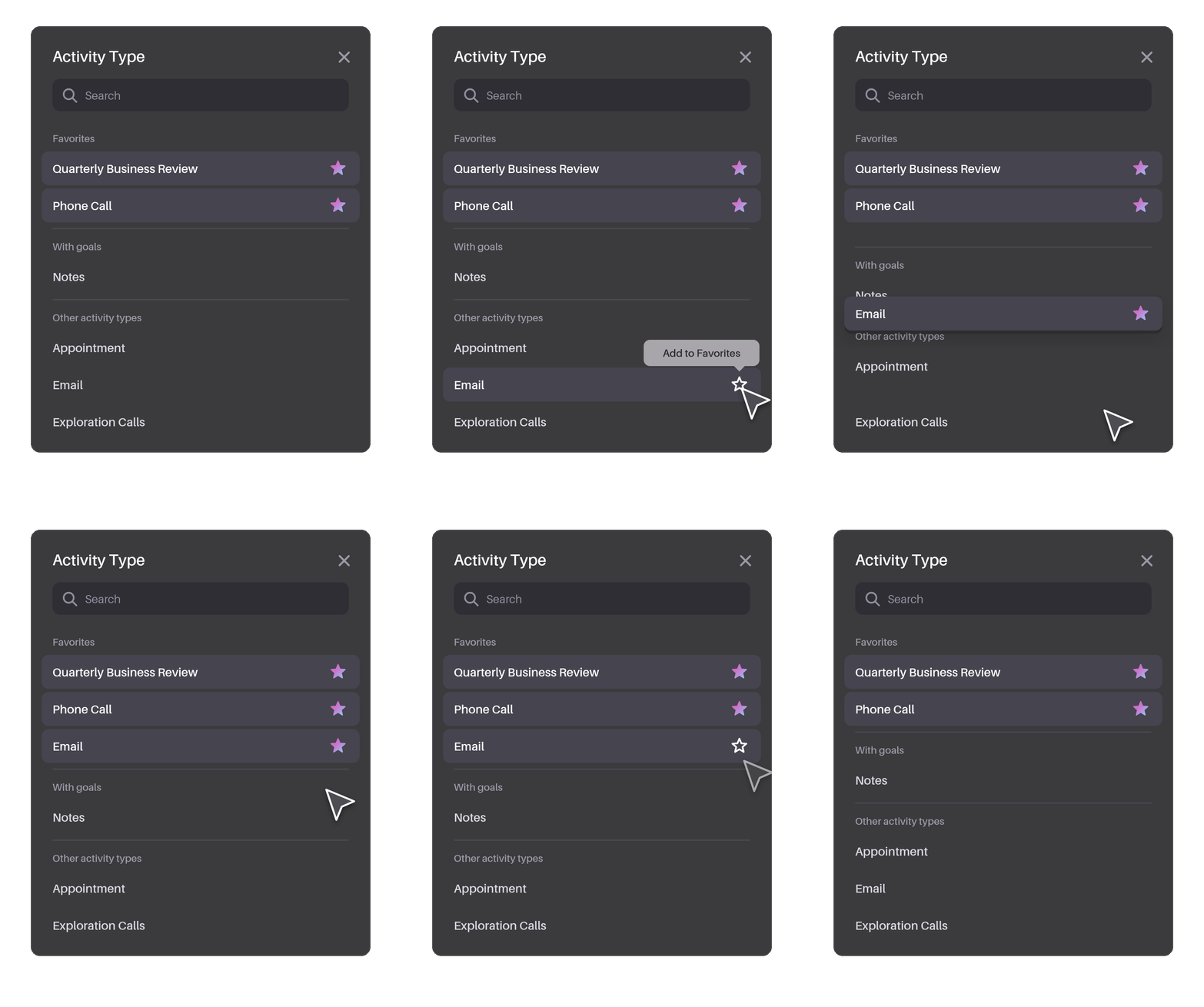
Most salespeople rely on a handful of Activity Types every day. You can now mark those as favourites, so they’re easy to reach whenever you log something.
You can favourite and unfavourite Activity Types wherever you choose one:
- Create Note, Task or Appointment
- Log a Call
- Write Email
It works just like favourites elsewhere in Membrain, so there’s nothing new to learn. Your list simply fits the way you work.
A quick example
Before a quarterly review with a key customer, you open the Account Growth Project and set the Activity Stream to show the last 90 days. The calls, meetings and emails that shaped the relationship this quarter are right there, without the older history getting in the way. After the review, you log your notes, and your favourite “Quarterly Business Review” Activity Type is right at the top, ready to select.
Try it today
Both improvements are available now. To learn more, see Activity Stream and Creating Activities in the Help Center, and as always, our team is happy to help.
Help us spread the word about how great Membrain is and write a review on G2Crowd