A lot of useful sales knowledge lives in spreadsheets: account lists, pipeline exports, quarterly sales reports. It's valuable, but it's rarely quick to scan.
With this release, Ask AI in Content Hub now supports Excel (XLSX) files. Ask a question, and Ask AI can read the spreadsheet and answer from what's actually in it.
One question, across your content

Ask AI in Content Hub works by finding the content most relevant to your question, then reasoning over it to give you an answer. With XLSX added, that now covers four kinds of content:
- Excel spreadsheets (XLSX)
- Word documents (DOCX)
- PDF files
- Content Cards - (custom internal guidance resources unique to Membrain’s Content Hub)
You don't need to convert anything first. Upload the file as it is, and Ask AI reads it as it would any other content in your Content Hub.
What this makes possible
Spreadsheets are where a lot of sales material hides in plain sight, and Ask AI now helps you get to the point faster. It can summarize what a sheet contains, answer specific questions about it, and pull out what matters.
Common uses include:
- Account lists: which accounts fit a particular profile or region?
- Pipeline data: what's the status across a set of deals?
- Sales reports: what changed between periods, and what drove it?
A quick example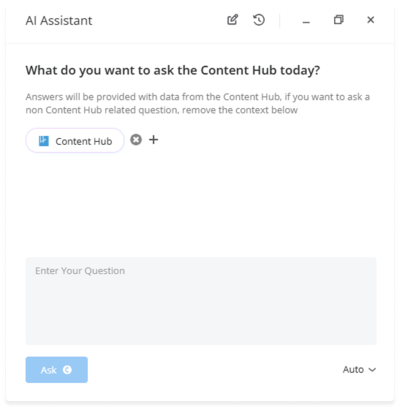
A quarterly sales report sits in your Content Hub as an Excel file, with dozens of rows covering regions, products and revenue. You have a team meeting in ten minutes, and you haven't opened it yet.
You ask Ask AI which regions grew fastest last quarter and which products were behind it. It finds the report, reads the data and gives you a clear answer. You walk into the meeting with the numbers in your head, without scrolling through a single sheet.
Give it a try today
Open Content Hub, select Ask AI, and put a question to your spreadsheets. Our Help Center has guides to get you started, and the team is always happy to help.
Enjoying using Membrain? Great!
Help us spread the word about how great Membrain is and write a review on G2Crowd
Help us spread the word about how great Membrain is and write a review on G2Crowd