Ask AI is a conversational assistant built into Membrain that helps you explore project data, analyze dashboards, and understand content without leaving the page you're working on. By combining natural language interaction with the context of your current view, Ask AI allows you to ask questions, receive clear answers, and capture insights directly within your workflow.
Whether you are reviewing a Sales Project, analyzing a Dashboard, or preparing for a meeting using content from the Content Hub, Ask AI provides context-aware answers that help you understand what is happening and decide what to do next.
You can open Ask AI by pressing A on your keyboard or by clicking the Ask AI icon  wherever you see it.
Where Ask AI Can Be Used
Ask AI can be launched from several areas in Membrain. The assistant automatically analyzes the context of the location where it was opened, allowing it to generate answers based on the information available there.
You can access Ask AI from:
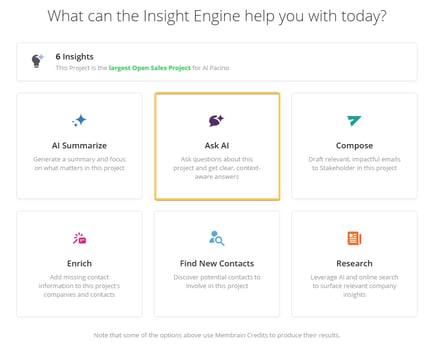
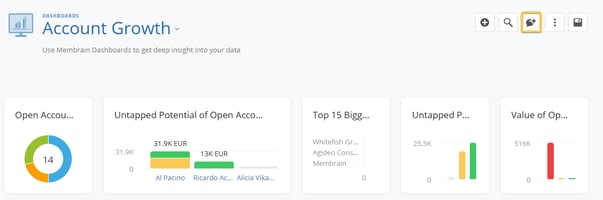
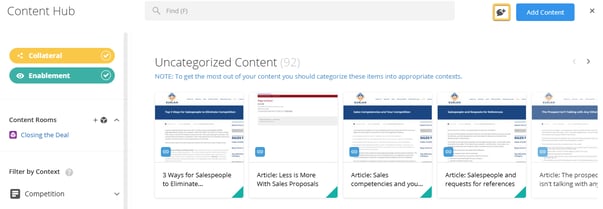
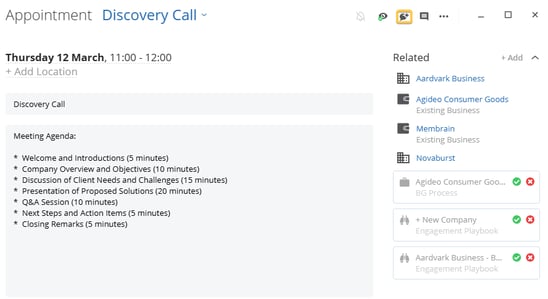
Because Ask AI is context-aware, the answers it provides are based only on the data or content available in the location where it was opened.
For example, when opened inside a Sales Project, Ask AI can analyze project activities, stakeholders, and process steps. When opened inside a Content Room, it uses only the material available in that room to generate answers.
Conversational Sessions
Ask AI provides a conversation-style experience that allows you to ask multiple questions within the same session.
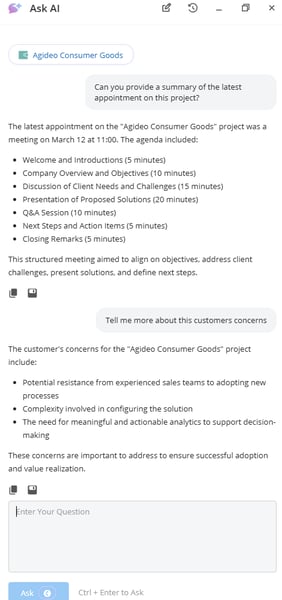
After submitting a question, you can continue asking follow-up questions to explore the topic further. Ask AI retains the context of the conversation during the session, allowing it to respond more accurately as the discussion progresses.
Using AI Prompts
Ask AI supports the use of AI Prompts, which allow users to quickly run predefined instructions without writing a full question.
When available, AI Prompts can be selected directly within the Ask AI interface. These prompts are designed to generate consistent insights based on the context where Ask AI is being used.
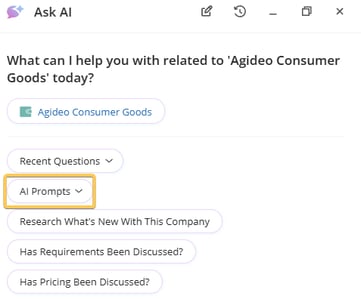
For example, a prompt might summarize a project, identify potential risks, or extract key talking points from sales content. Selecting a prompt immediately runs the instruction and returns a response in the Ask AI conversation.
Using prompts helps standardize how teams analyze projects and content while still allowing users to ask additional questions within the same session.
Ask AI History
Ask AI keeps a record of your previous conversations, making it easy to revisit past questions and continue where you left off. To access your history, click the History icon  in the top right corner of the Ask AI window.
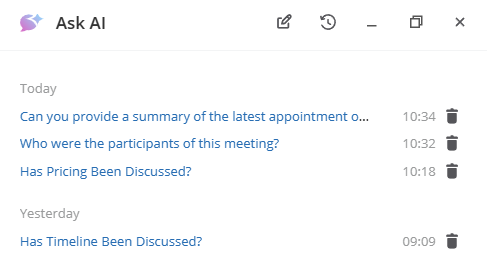
This opens a list of your previous conversations, replacing the current view. Each entry displays the original question, along with the time it was asked.
Selecting a conversation restores the full thread, including both the question and the AI-generated response. You can continue asking follow-up questions within the same conversation, allowing you to build on previous insights without starting over.
You can also manage your history directly from this view. Each conversation includes a delete icon, allowing you to remove individual entries as needed.
Ask AI history is user-specific, meaning you will only see conversations that you have created. This allows you to keep track of your own work and return to relevant insights whenever needed.
Saving Insights from Ask AI
When Ask AI is used within the context of a Project or an Activity, you can save the insight to the Activity Stream, to a text field, or copy it to your clipboard.
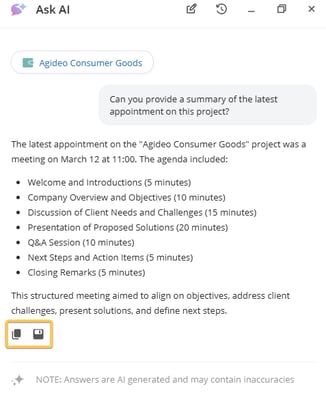
In this case, Membrain stores both the Ask AI response and the question that produced it as a special note. This note cannot be edited, except for adjustments to the Activity Type or associated Custom Fields.
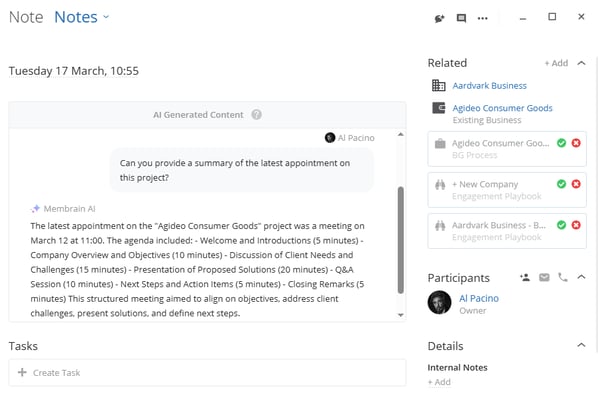
Ask AI responses can also be saved to text or rich text fields within the current project, allowing important insights to be stored directly alongside other project data.
This makes it easy to capture valuable information discovered through Ask AI and keep it available for future reference.
Summary
Ask AI adds a conversational layer to Membrain that makes it easier to explore data, understand projects, and work with sales content.
By supporting multi-question conversations, integrating with AI Prompts, and allowing insights to be saved directly to projects, Ask AI helps teams transform information into actionable knowledge without interrupting their workflow.
If you need help configuring AI Prompts or understanding where Ask AI can be used in your environment, contact your Membrain administrator or email support@membrain.com.




