Zapier 2.0 - Major Upgrades to Our Zapier Integration

Update on August 30, 2024 by Henrik Öquist

Zapier is a fantastic tool for creating efficiencies by automating simple tasks between the hundreds of software platforms out there.  

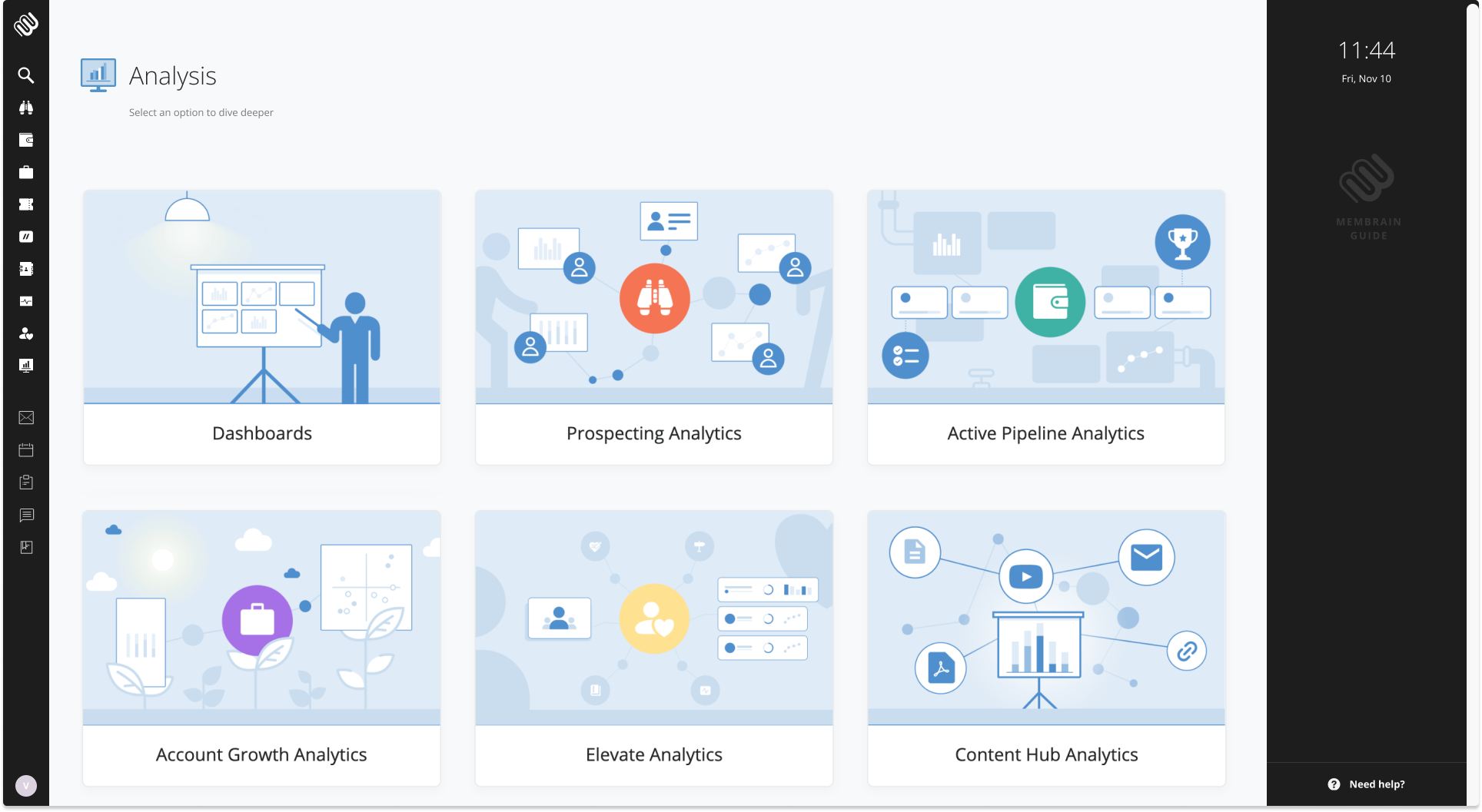
With this update, we are unlocking even more powerful capabilities to supercharge your processes. Now, you can create and react to Account Growth projects and Tickets, and go beyond simple task creation with our new update functionality.

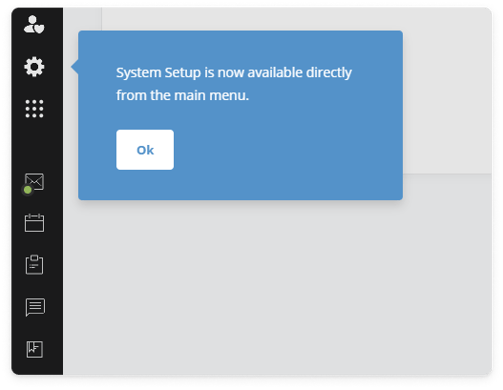
In the System Setup for the Zapier integration there is now a link to the new version at the very top of the page. You can also use the new search/find tools in Zapier to locate exactly what you need in Membrain. Another exciting addition is the ability to create uncompleted tasks with deadlines directly from Zapier, even if you don’t have all the contact or company details upfront—perfect if the contact already exists in Membrain.

💡 Use cases:

  • Trigger Account Growth projects and assign them to the right resource, all from outside Membrain.
  • Create rich-text notes from AI transcription tools like Fathom, Zoom, or Teams.
  • Update a sales project automatically when your bidding team, working in another tool, takes action.

The creative possibilities here are almost endless, and we can’t wait to see how our customers leverage these new capabilities. For more information, visit our Help Center, contact us via in-product Chat, or email us at support@membrain.com.

Content Rooms - A New Way to Organize Your Content

Update on August 28, 2024 by Henrik Öquist

If you're part of a B2B revenue team focused on sales enablement, you will know how crucial content is.  

If you're part of a B2B revenue team focused on sales enablement, you will know how crucial content is. With this latest Membrain update, we are introducing Content Rooms—a whole new way to organize and recommend content more effectively.

Content Room

Content Rooms let you create dedicated spaces within Membrain for thematically connected content. These rooms can hold all types of content—files, links, videos, and content cards. You can mix and match enablement resources and collateral content, making it easy for your team to find everything they need in one place.

💡 Use cases:

  • Gather training materials around your specific methodology in one spot.
  • Collect all the lead magnets or conversion offers your marketing team has live on your website, in ads, etc., and use this room to outline how your sales team should respond to and follow up with those leads.
  • Store customer testimonials, case studies, and similar content in a room so the whole team knows exactly where to find them.
For more information, visit our Help Center, contact us via in-product Chat, or email us at support@membrain.com.


Date Calculation Field - Use formulas to power up date fields!

Update on July 25, 2024 by Henrik Öquist

In the most recent update of Membrain, we are introducing date calculation fields. This new type of custom field functions similarly to the existing calculation field, with the main difference being that the output is a date instead of a number.

While the traditional calculation field can output numbers, including options for decimals and percentages, it cannot produce a date. The new date calculation field provides all the functionalities of date fields in Membrain, allowing for the creation of graphs, list views grouped by date, date-based rules, automation possibilities, and more.

This feature is useful in scenarios such as managing delivery times or tracking delays between contract terms.

💡 This enhancement offers flexibility in scenarios such as:

  • If you have a standard 30-day delivery time post-closing a deal, you can use the closing date plus 30 days to always have an accurate delivery date field.
  • For varying delivery options, you can link a date field, like the project start date, to a scorecard with numerical options representing different delivery speeds. The number output from the scorecard can then be added to the project start date.
These adjustments mitigate potential issues that may arise from inaccurate exchange rates so you can safely rely on these metrics for data-driven decision-making.
 
Need help with this update? Visit our Help Center, contact us via the in-product Chat, or reach out to us at support@membrain.com. We'd be happy to assisst!
 

Centralized email signature and a few other updates

Update on July 19, 2024 by Henrik Öquist

A professional email signature is crucial for a B2B selling organization. 

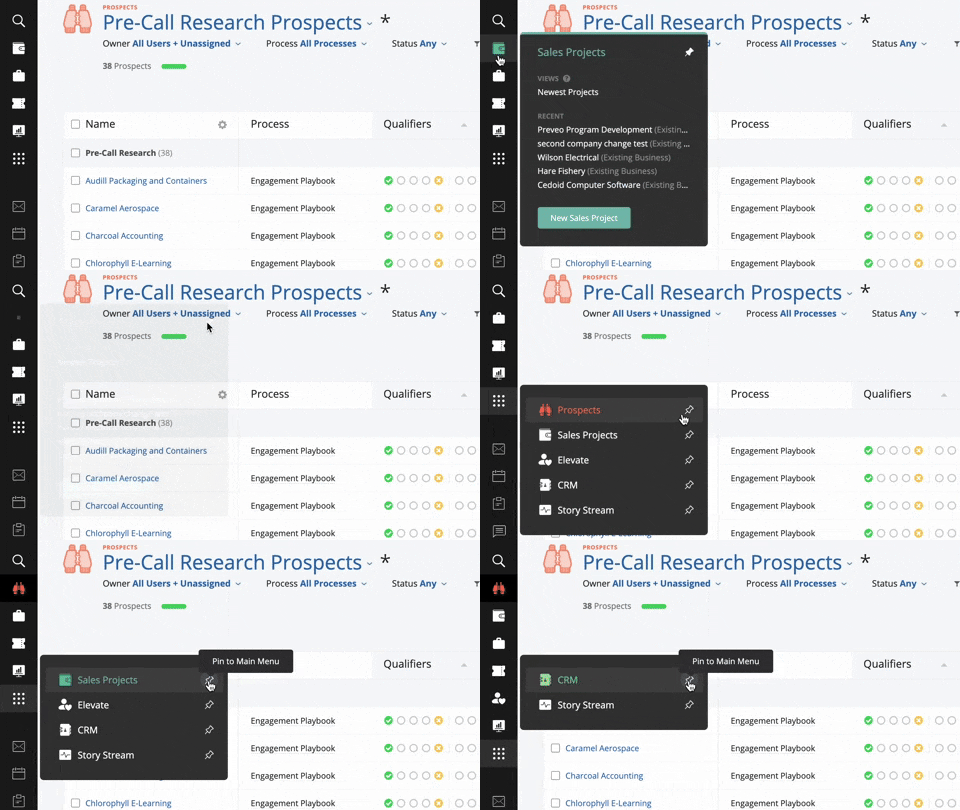
With the preview release of centralized email signatures in Membrain, you can ensure consistency across your team. Additionally, you can add extra email signature footers for specific teams or groups, promoting sales campaigns, events, or other highlights.

Multiple footers can be set, and the first matching user will display the relevant footer, ensuring your messaging is on point and centrally controlled. Visit our Help Center article to learn more about using this feature.

Product Update Email Signature Footers

Other smaller updates


Improved user experience around document uploads

The latest Membrain update also enhances the user experience for uploading documents and files. We've removed unnecessary dialogs, making the overall process smoother. You can now drag and drop files into process steps or the document box in a project, and click to preview files without additional dialogs, simplifying document management.

Office365 updates for Tickets

For those using Microsoft365 (or Office365), recent changes on the Microsoft side, such as the disabling of SMTP, have caused some issues. We have now added support for OAuth authentication for Membrain tickets, allowing you to work seamlessly without enabling SMTP in your Office environment.

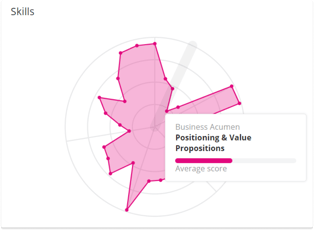
Improved Performance Score settings in Membrain Elevate

The latest Membrain update includes new settings for the performance score in Elevate, providing better control. Previously, extremely high numbers, like 700% of a target, could skew averages and produce misleading results. Now, you can set caps in the performance score settings to prevent this from happening.

Here's an example of the performance score being set to 250%.

Performance Score Setting

performance score cap

If you require any assistance or have thoughts to share about this update, drop us a line at support@membrain.com. We're all ears and ready to hear what you think!
 

Fresh New Previews for Companies, Contacts & Stakeholders

Update on July 15, 2024 by Henrik Öquist

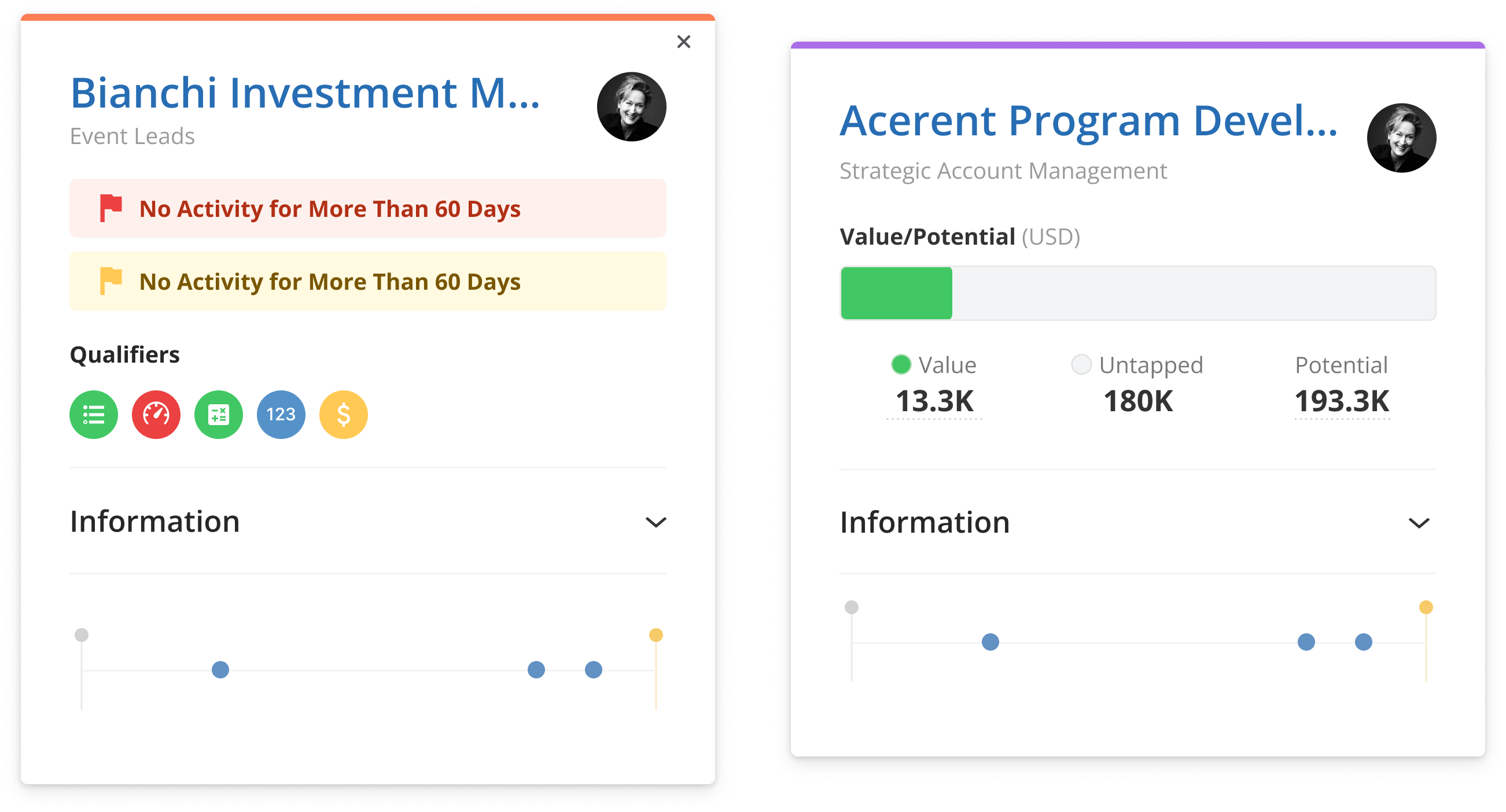
The preview dialogs for companies, contacts, and stakeholders have received a significant update in the latest version of Membrain.

This enhancement allows you to collapse and expand key pieces of information, streamlining your workflow. These changes aim to make interaction faster and more efficient, bringing you to the necessary information or action quickly.

new preview membrain-1

💡 This can be used in scenarios such as:

  • For a prospecting-centric sales role, having contact details readily available on the screen is extremely helpful.
  • For backend roles or CRM admin operations, placing key information in the information tab provides easy access by hovering over any contact or company in Membrain.
These adjustments mitigate potential issues that may arise from inaccurate exchange rates so you can safely rely on these metrics for data-driven decision-making.
 
Have thoughts to share about this update? Drop us a line at support@membrain.com. We're all ears and ready to hear what you think!
 

New Company Merge Dialog - Easier and with more control than ever!

Update on June 27, 2024 by Henrik Öquist

Maintaining clean and reliable data is crucial in any CRM endeavor. However, ensuring the accuracy of company data can be challenging. Inevitably you'll come across duplicate records and other data quality issues. 

To simplify this process, we've updated the company merge dialogue. This new feature guides you through a straightforward flow where you can compare data from two companies.

Once you've selected the companies to merge, you have complete control over which information to retain in the merged company. You can select specific data points from each company, or even combine information where applicable.

This enhanced dialogue provides a clear overview, making CRM management more streamlined and user-friendly.
Product Update Company Merge Dialog

💡 This can be useful for scenarios such as:

  • Completing Missing Information: Merge two companies to consolidate key fields that are missing in one.
  • Aggregating Historical Data: Combine histories from two companies to ensure comprehensive records.
Need more help with this update? Visit our Help Center, contact us via the in-product Chat, or reach out to us at support@membrain.com.

Retroactively Change Historical Currency Exchange Rates and some smaller updates

Update on June 24, 2024 by Henrik Öquist

Tracking revenue is naturally crucial for any organization engaged in B2B sales and revenue generation, it's the lifeblood of all companies. Many Membrain customers operate across multiple currencies in various countries and regions, making effective currency exchange rate management essential. 

We've introduced the capability to retroactively adjust historical currency exchange rates. Admins can now navigate to the system setup and currency settings to modify exchange rates for past periods. The interface itself is quite straightforward. You can create a new exchange rate value where you simply select the date and the exchange rate. All adjustments are made in relation to the system currency. 

💡 This enhancement offers flexibility in scenarios such as:

  • Quarterly reviews of currency exchange rates to ensure accuracy at specific times.
  • Correction of currency exchange rate errors identified after the fact.
These adjustments mitigate potential issues that may arise from inaccurate exchange rates so you can safely rely on these metrics for data-driven decision-making.

Other smaller updates


Improved List Column Picker

At Membrain, we value visual views, but sometimes a list view is more efficient. To enhance this, we have added a new interface element that makes selecting the right columns in your list views cleaner and more intuitive. By clicking on the cogwheel in any list view in Membrain, you'll notice several improvements.

Product Update: Select List Columns

For currency fields, the main currency will be the default, but you can expand to select other currencies used within your organization. You can also search for a specific currency to access all related fields easily.

Additionally, fields associated with stakeholders in your prospect sales, products, account growth, and projects are now available in a collapsed form. This allows you to quickly access and expand details like names, titles, emails, and phone numbers. These improvements streamline data management, making it easier to coach effectively and improve your strategy and execution.


Change between count & value in Win/Loss Win Rate

In B2B Sales, understanding the difference between winning a certain number of deals and the associated revenue can significantly impact your ability to identify where you are the most competitive and have a huge impact on the growth of a company.

Winning 2 out of 10 deals means something different if the two deals you won were really small and you consistently struggle on larger opportunities. If you have good win rates but lose out on larger deals, it can massively affect your ability to forecast and set accurate probabilities.

Now, in the Win/Loss view, you can switch between the number of won sales projects and the value of those projects as the win rate indicator. This capability helps identify issues, such as challenges with closing larger deals, and allows for better revenue targeting and forecasting for your sales and revenue teams. This improvement enhances your ability to coach effectively and refine your sales strategy.

Now, in the Win/Loss view, you can switch between the number of won sales projects and the value of those projects as the win rate indicator. This capability helps identify issues, such as challenges with closing larger deals, and allows for better revenue targeting and forecasting for your sales and revenue teams. This improvement enhances your ability to coach effectively and refine your sales strategy.

Easily manage your content with batch changing in the Content Hub

The Content Hub is a great place to store internal and external information that your sales and other revenue teams utilize daily. However, managing hundreds of content pieces can be challenging. To make this easier, we have added the ability to batch change multiple pieces of content in new ways.

By selecting multiple content pieces from the Content Hub or the sales content list found on the system setup page, you can update certain properties in bulk. This ensures that your content is correctly connected, relevant, and helpful, appearing in recommendations at the right time.

As a result, everyone has access to the right information when they need it, improving sales effectiveness and enabling your team to execute your sales process seamlessly.

 
For more information, visit our Help Center, contact us via the in-product Chat, or reach out to us at support@membrain.com.

Introducing Membrain Elevate

Update on June 11, 2024 by Johanna van Doorn

We are thrilled to introduce Membrain Elevate – the new member of Membrain sales enablement platform, focused on empowering the human component to drive business growth.

It's finally time to give your most expensive and most powerful asset the deserved focus.

Al-Pacino-Profile Elevate flatx

Scaling your business shouldn't come at the cost of burning out your team or compromising the quality of your coaching. Start making a bigger impact with every minute you invest.

Elevate makes it possible for sales leaders to:

check-MBglow  Clearly see who to coach, and on what.
check-MBglow  Understand performance and struggles.
check-MBglow  Spot trends and act proactively.
check-MBglow  Quickly determine actions.


Sustainable success in sales isn't just about hitting numbers—it's about nurturing and developing your team into the best version of themselves.

Elevate empowers salespeople to succeed by:elevate-team-viewX

check-MBglow  Facilitating continuous, organized coaching and direction.
check-MBglow  Ensuring mutual accountability and clear communication between sales leaders and sales reps.
check-MBglow  Tracking performance, progress, goals, and focus areas.


Eager to know more about Elevate?

We’re thrilled to invite our valued customers to an exclusive launch webinar on June 18. Join us to explore Elevate, see it in action, and discover how it can revolutionize your way of working. Don’t miss this opportunity to be among the first to experience the future of sales coaching. Register now and get ready to elevate your potential! - Register here

More Robust Currency Management

Update on May 25, 2024 by Henrik Öquist

We are enhancing the way historical currency fluctuations impact currency conversions in Membrain. These updates prioritize accuracy and are being implemented gradually to simplify the understanding of how historical currency changes have influenced revenue, profitability, and other aspects over time

The system has been revamped to enhance robustness, encompassing everything from project currency fields to the value of fixed-priced products and recurring product lines. This redesign aims to ensure more controlled behavior. Additionally, we are exploring the integration of new features to facilitate the management of currencies and historical currency changes in the near future.

💡 This is great for things such as:

  • Better managing of currency conversions for international projects
  • More reliably tracking the impact of currency fluctuations on revenue and profitability
  • Analyzing historical currency changes to make informed business decisions
So how does it work? Well, this is a simple layout of how it works after this change that hopefully helps.

When do we show historical currencies?

Most of the time-specific contexts in Membrain, like a sales project you won at a specific time, will show the currency conversion that was relevant at that particular date. This means that if you have USD as your primary currency but are looking at your historical deals, a deal you won on Jan 1st, could have a different euro value than a deal that you won on May 1st if the currency has changed since then, even if the USD value was identical.
  • Value of Closed Sales Project (at Closing Date)
  • Value, Potential and Untapped Potential in Closed Account Growth projects (at End Date)
  • Product Revenue Graphs (at Revenue Date, including recurring products)
  • Product Columns in Sales Project List Graphs & List Views  (at Closing Date)
  • Currency Custom Fields in Closed Sales Projects, Prospects and Account Growth projects (at Closing/End Date)

When do we use the currency conversion that is current?

Many places in Membrain will look at what your current currency conversion rate is. These include these examples:
  • Value of Open Sales Projects
  • Value, Potential and Untapped potential of Open Account Growth projects
  • Currency Custom Fields in Open Sales Projects and Open Account Growth projects
  • Currency Custom Fields on Companies, Contacts and Activities

The way this works is also that you can get some differences that may not be immediately obvious and require some digging. If you win that sales project for 10000 USD on Jan 1st, and another one on May 1st, why don't they both have the same value when you're looking at them converted to Euros for example?

To help give these insights more easily, any currency value that is using an older currency conversion, is now highlighted in a slightly blue tint in list views and list graphs. Hovering above that value shows some additional helpful information.

These changes are intended to make tracking revenues more robust, and easier to understand than before, and we have additional improvements we are looking to add in the near-term, ensuring that you can fully trust and understand the data & analytics in Membrain in this critical perspective for any B2B organization.

Need help navigating this update? Feel free to contact us at support@membrain.com, and we'll guide you through the process.

Group Timelines in Account Growth

Update on May 17, 2024 by Henrik Öquist

The ability to use Timeline Components in Account Growth provides a powerful visualization tool for tracking various projects, upsell opportunities, and prospecting endeavors within larger or more complex key accounts.

Pic 1

While immensely valuable, managing large volumes of data within this context can sometimes be overwhelming. That's why we're excited to announce the new ability to group timelines by any relevant parameter.

Now, users can group timelines based on project type, whether it's a prospect, sales project, or any custom field captured in the processes. This enhancement offers a deeper level of insight, allowing for clearer navigation of complex account growth projects through visually appealing timelines.

💡 This is great for things such as:

  • With the ability to group by type, users can easily categorize prospecting efforts, sales product initiatives, and more within account growth projects. This streamlined view facilitates a clearer understanding of revenue-generating activities within key accounts, distributors or multi-level enterprise environments.

  • For users leveraging account growth processes to track delivery or operational tasks, custom field grouping provides a convenient way to categorize and visualize projects. Whether it's operational workflows or strategic initiatives, this feature offers improved clarity and organization.
    Product Update Group by TimelinePic 3-1

Have thoughts to share about this update? Drop us a line at support@membrain.com. We're all ears and ready to hear what you think!

More updates to Membrain