Popular Content
Membrain for:
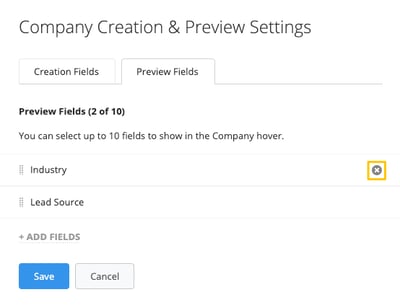
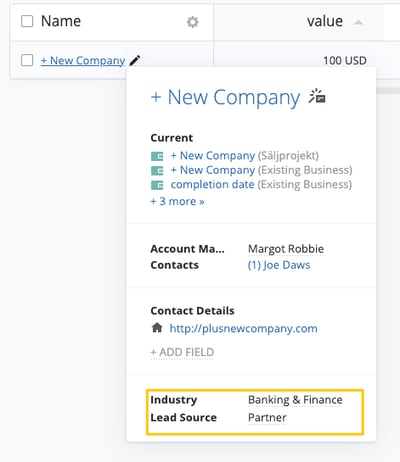
When creating a New Company in Membrain, the default information asked for are the Name of the Company, and their Website address. However, you can adjust what you wish to input when creating new companies to better cater to your requirements.
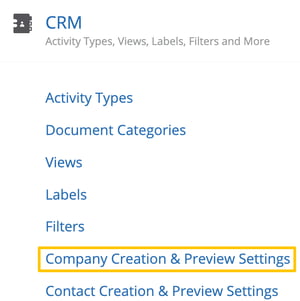
Go to System Setup, Scroll down to the CRM tab, and click on Company Creation & Preview Settings.
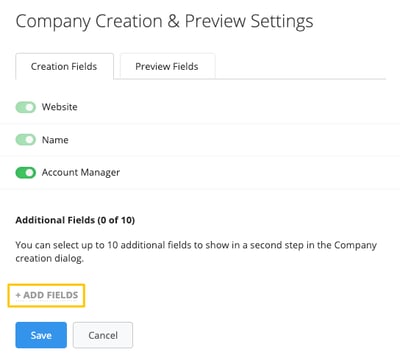
In the Creation Fields tab, click on +ADD FIELDS to incorporate more fields to your Company creation dialog.
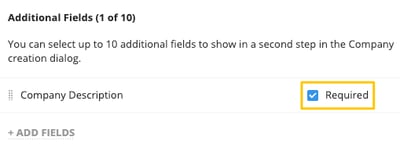
If necessary, you can mandate any of these fields to be filled out every time someone manually creates a new Company in Membrain.
From north to south, east to west, Membrain has thousands of happy clients all over the world.




