Popular Content
Membrain for:
Meet Appointment Types allow administrators to define structured meeting types that can be offered through Personal Membrain Meet links.
Appointment Types control how a meeting is presented to visitors and how it is created in Membrain. They define available durations, descriptions, associated Activity Types, and which fields are collected during booking.
If you need to configure team-level booking pages, see Meet Pages.
To create or manage Appointment Types:
Click +New to create a new meeting type.
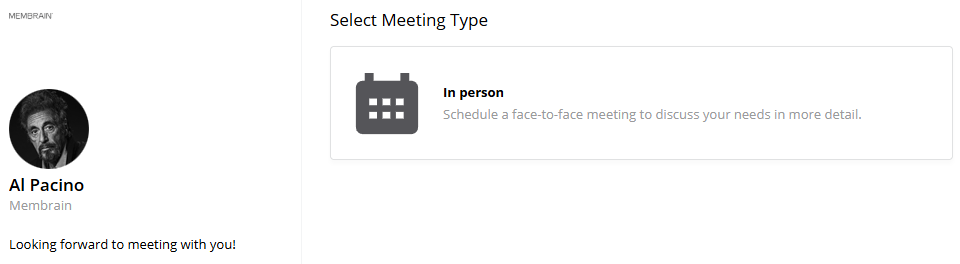
Give the Appointment Type a name and description. Both will be visible to visitors when selecting a meeting through a Personal Meet link.
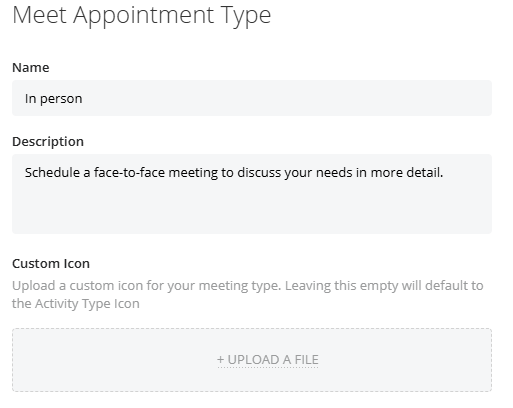
You can also upload a custom icon. If no icon is selected, the associated Activity Type icon will be used by default.
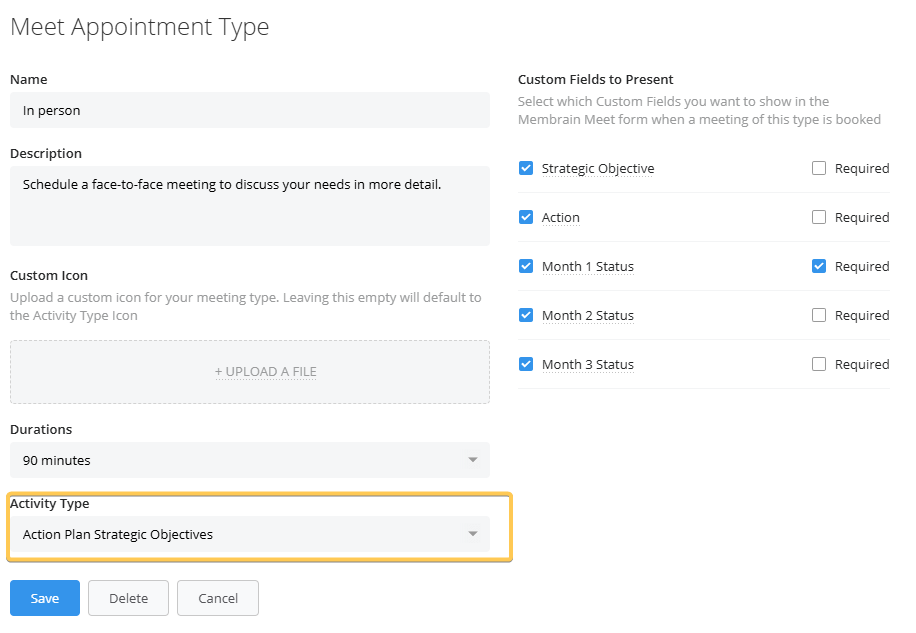
Select which meeting lengths should be available for this Appointment Type. Ranging from 15 Minutes to 2 Hours.
The durations configured here determine what visitors can choose when booking this type of meeting. These duration settings override any general duration settings configured in a user’s Personal Meet Settings.
Each Appointment Type can be connected to an Activity Type.
When a meeting is booked, Membrain creates an Activity using the selected Activity Type. This ensures that scheduled meetings align with your internal tracking and reporting structure. If No activity type is selected it will choose the default Meeting activity type.
When an Activity Type is selected, its associated custom fields become available for use in the booking form.
You can:
• Choose which fields appear on the booking page
• Make fields required
• Adjust how field names are displayed to visitors by clicking on the field name
This allows you to collect the right information before the meeting takes place.
Some field types are not supported in Meet Appointment Types, such as scorecard fields.
Once created, Appointment Types can be made available in users’ Membrain Meet tab in My Settings.
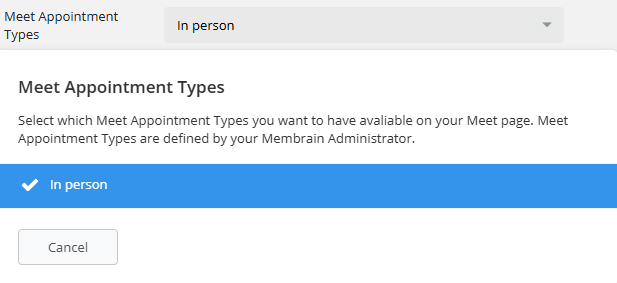
Users can select which Appointment Types appear on their Personal Meet link, allowing them to offer different types of meetings to customers or prospects.




