Ask AI is a natural-language assistant embedded across Membrain that helps you surface relevant answers quickly, based on the context you're working in. Whether you're reviewing a Sales Project, browsing a Content Room, or analyzing a Dashboard, Ask AI enables you to ask real questions and get helpful, accurate answers without leaving your current view.
Instead of searching through dashboards, content libraries, or project fields, Ask AI turns complex project data and training material into clear, conversational responses. It helps salespeople, managers, and coaches find what they need faster and with less friction.
Ask AI allows you to type questions using everyday language, and it responds with answers based on what you're viewing or working on. Its goal is to reduce the time spent searching for information and increase the time spent taking action.
You can quickly open Ask AI by pressing A on your keyboard or by clicking the Ask AI icon  . This makes it easy to access wherever you are in the platform.
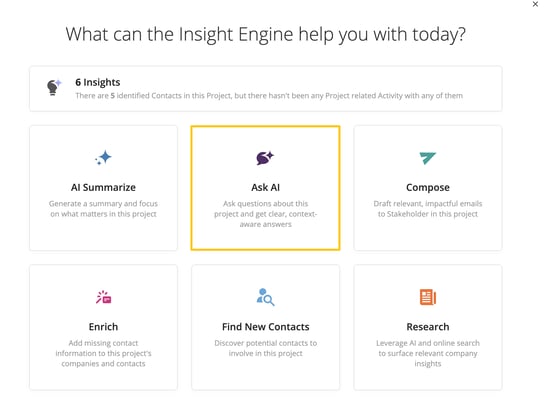
Here are some examples of how Ask AI can help across different parts of Membrain:
In Sales Projects, Prospects, Account Growth Projects, and Tickets, you can ask questions about recent activity, stakeholder engagement, or next steps.
In Content Rooms, Ask AI can summarize product sheets, answer battle card questions, or help you prep for customer objections—using only the content in that room.
In Dashboards, you can get real-time summaries and insights based on the current data you're viewing, without needing to interpret charts or switch tools.
Whether you're reviewing a deal, planning a meeting, or looking for the best content to send, Ask AI helps you stay focused and informed.
Ask AI uses a natural language interface, meaning you can type your question just as you would ask a colleague. You don’t need to learn syntax, formulas, or filters. Just write what you want to know.
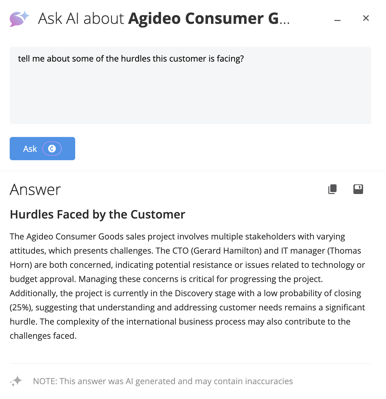
When you enter a question, Ask AI evaluates the context, like the content in a room or the data on your dashboard, and responds accordingly. The answers are shown directly in the interface you’re working in, so there’s no need to switch screens or chase down information elsewhere.
If Ask AI can't process the request due to large volumes of data (in some dashboards, for example), it will let you know instead of returning an incomplete or misleading result.
To make it easier to get answers quickly, Ask AI provides prompt shortcuts that reduce the need to type full questions from scratch. Based on where you are in the platform, Ask AI will display suggested prompts that help you get started and immediately return an answer.
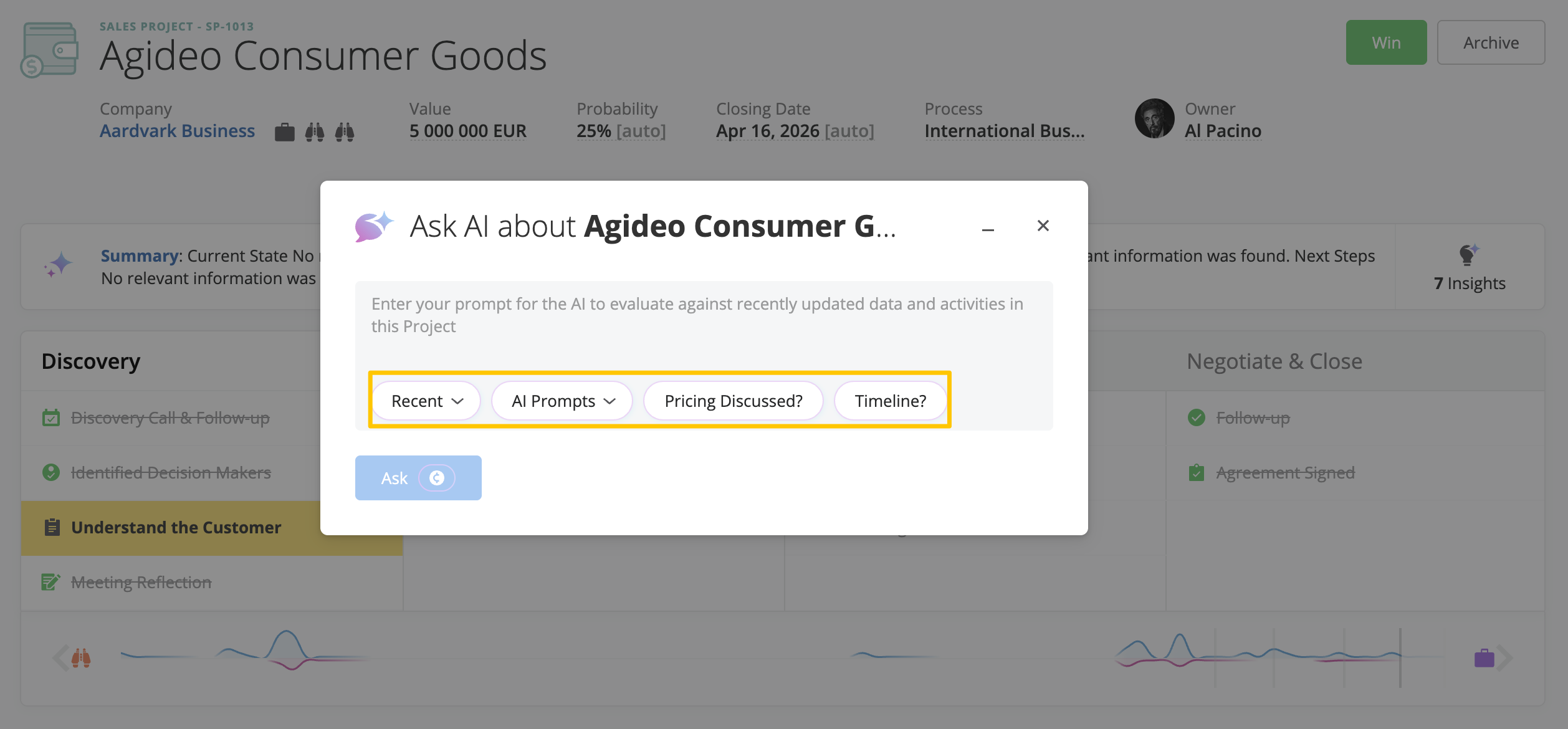
When working within a project in Membrain, Ask AI also lets you choose predefined AI Prompts that are designed to run immediately based on the project you’re viewing. Selecting one of these prompts executes it and returns an answer without you having to come up with a prompt on the spot. Any AI-generated answer can then be saved to the project as a note or to a custom field if needed. For details on how AI Prompts work, how they are configured, and where they can be used, see our article on AI Prompts.
Ask AI also keeps track of the most recent prompts you’ve typed within each area of the platform, allowing you to quickly reuse helpful questions when reviewing multiple projects, dashboards, or content areas.
Ask AI is designed to support a variety of everyday sales tasks. Here are a few common ways teams use it:
Quickly understand the current status of a Sales Project
Identify trends or red flags within a dashboard view
Pull key talking points from long-form content in a Content Room
Prepare for a meeting using insights from recent activity related to a project
The flexibility of Ask AI means it can be used throughout the sales process, from discovery to close, and even during onboarding or coaching conversations.
Ask AI brings a conversational layer to Membrain that makes finding answers faster and easier. It removes the need to dig through fields, dashboards, or documents by giving you real-time, context-aware answers based on where you're working.
Whether you’re in a project, a dashboard, or reviewing content, Ask AI helps you ask better questions and take action faster, all without breaking your workflow.
If you need help understanding where Ask AI can be used or how to write effective prompts, contact your Membrain administrator or email us at support@membrain.com




