Manually maintaining fields across multiple processes, projects, or accounts isn’t just tedious, it creates errors, slows down your team, and doesn't scale well. Membrain’s AI Autofill removes that burden by automatically generating and updating field values using either real-time data or AI-driven prompts. This ensures your Membrain environment stays aligned with your actual work, without requiring constant manual updates.
Whether you're interpreting project activity, aggregating key metrics, or syncing information across related records, AI Autofill helps keep your data accurate and current, allowing your team to focus on selling.
AI Autofill can populate a wide range of field types using one of two approaches: AI-based generation or data-based aggregation.
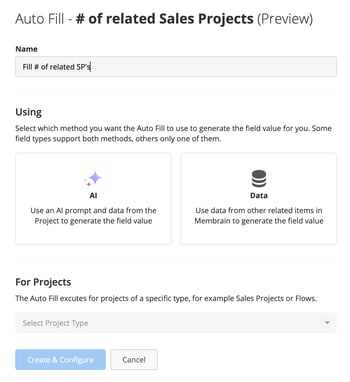
AI-powered fills use AI prompts that you've already written to generate dynamic content such as summaries, descriptions, or classifications. Data-driven fills, on the other hand, calculate values like totals, averages, or key dates using related records. Both methods reduce manual effort while improving the accuracy and consistency of your data.
You can use Autofill to summarize recent stakeholder interactions, update a renewal field based on delivery timelines, or classify a project based on its size and industry. These updates happen automatically based on the logic you define, so your team doesn't need to remember to do it manually.
AI Autofill works with the following field types: Text, Rich Text, Single Select, Multi Select, Number, Currency, and Date. It also supports specific system fields like Start Date, Closing Date, Value, Potential, and Probability.
Data-based autofill is available only for Number, Currency, and Date fields, allowing you to calculate values using methods like sum, average, or latest date based on related records.
Each type supports logic tailored to its format, for example:
Text fields are filled using the full output of an AI prompt.
Number and currency fields use aggregated data such as min, max, average, or sum if using a data autofill automation.
Single and multi-select fields look for matching terms in the AI response to apply the correct value.
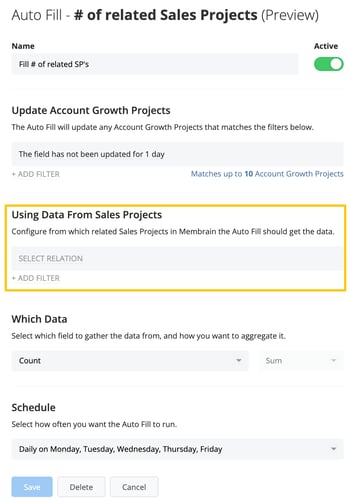
AI Autofill can pull information from related items across your workspace. This includes data from linked Sales Projects, Account Growth Projects, Tickets, Tasks, and even Activities or Documents that are directly tied to a process.
You can also use relationship fields, parent-child account structures, and shared company affiliations to connect data between records. This allows you to set up automations that reflect the real structure of your customer relationships.
Some example use cases include:
Summarizing marketing engagement into a handoff field for sales.
Calculating total number of sales projects from a group of Sales Projects for a partner account.
Automatically updating a support Ticket with the SLA level from the related Account Growth Project.
Each Autofill automation gives you control over how and when it runs. You can define filters to apply the automation only to certain records, use conditional logic like "Only if empty" or "Only if field hasn't been updated in x days," and schedule updates to happen hourly, daily, or monthly.
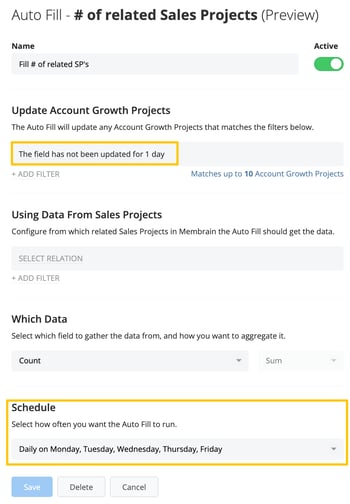
This flexibility ensures that your data stays clean and current without disrupting your process. It also means you can automate with confidence, knowing that your logic won't overwrite important information unless the conditions are right.
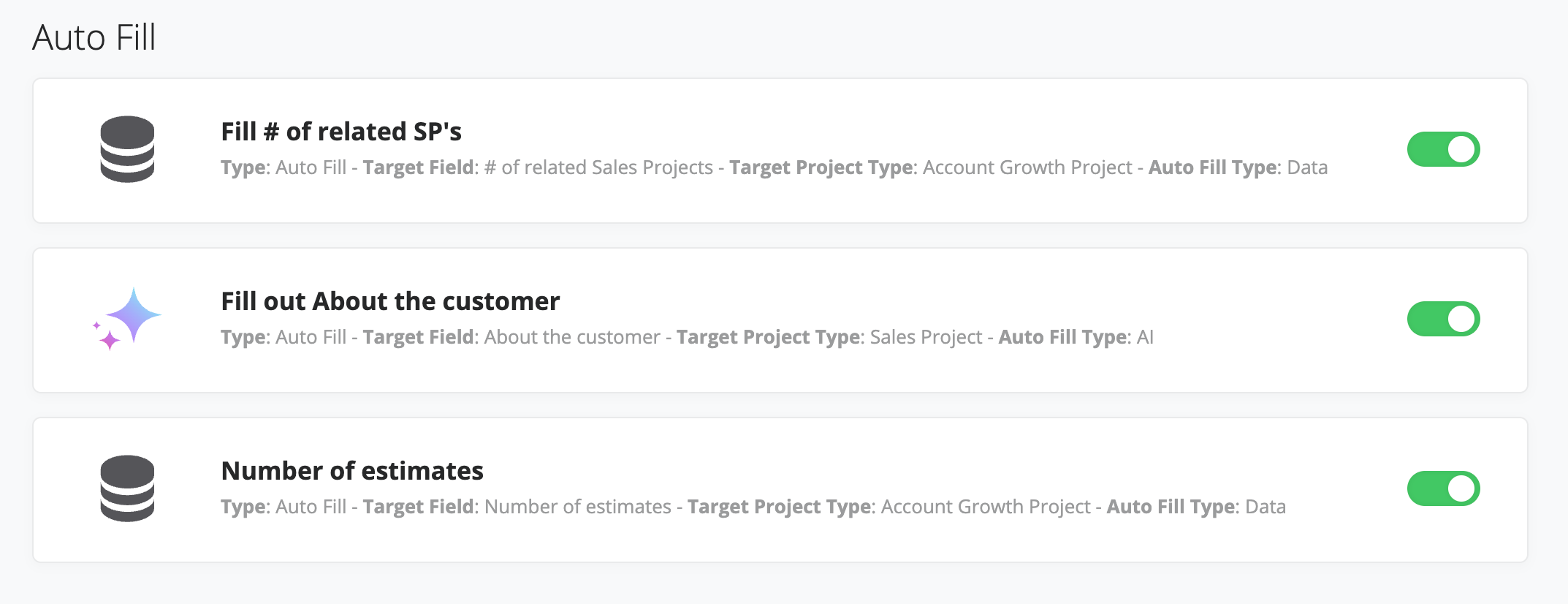
You can manage all your Autofill automations directly from the Automations page in Membrain. This provides a central view of all active and scheduled rules, making it easy to track what's running, what it's affecting, and when it will update next.
Whether you’re configuring a few simple updates or coordinating data across multiple teams and processes, AI Autofill gives you the tools to automate cleanly and strategically.




