Popular Content
Membrain for:
The Apollo integration in Membrain enhances your ability to enrich data and discover new companies and contacts. With this integration, sales teams can access high-quality external data directly within existing workflows—supporting better prospecting, improved lead quality, and more informed engagement.
This article explains how to enable Apollo, how it supports search and enrichment, and how to configure field mappings to keep your CRM aligned and accurate.
With Apollo integrated into your Membrain environment, you can:
Search for and add external companies using enriched data
Enrich company and contact records directly from project and company views
Discover new contacts within connected organizations
Automatically populate core fields with reliable third-party data
Map additional Apollo fields to your own custom Membrain fields
Apollo provides richer company and contact profiles, including valuable details such as industry, size, funding, and more—without requiring any changes to how you already work in Membrain.
Once enabled, the Apollo integration works seamlessly within Membrain's existing tools. It powers both company search and data enrichment without requiring users to change how they work. When searching for external companies, Apollo provides enriched company data directly within the Find External Companies workflow. It also supports company and contact enrichment, offering detailed profile information and stakeholder discovery as described in the Enrichment article. Together, these functions help improve data quality and save time across your sales process.
To enable the Apollo integration in Membrain:
Find the Apollo integration and click on it to start the configuration
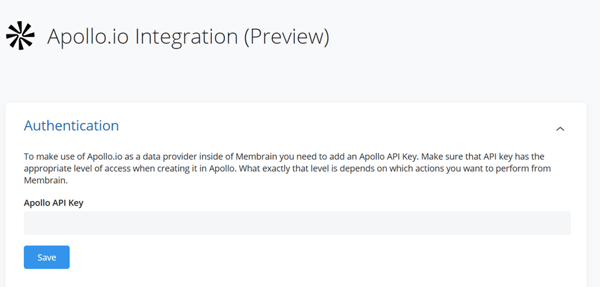
Once your key is entered, Apollo will become your active data provider for all Enrichment features.
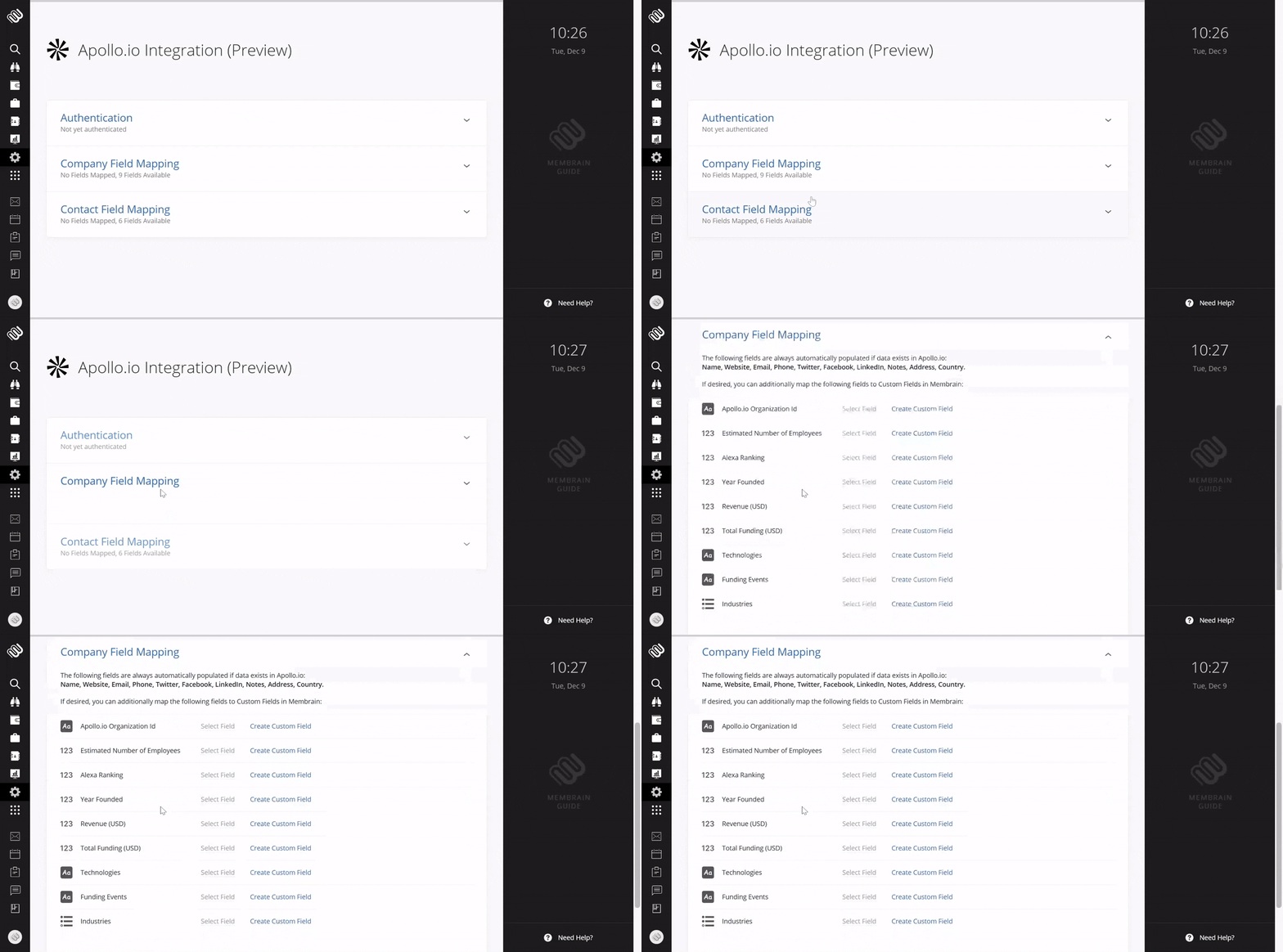
When data is available, key company details such as name, website, email, phone number, social media profiles, address, and country are automatically populated by Apollo.
In addition to these core fields, you may also map other data points—such as estimated number of employees, revenue, year founded, Apollo organization ID, Alexa ranking, total funding, technologies used, and funding events—to your own custom fields in Membrain. If suitable fields already exist in your instance, you can select them during setup. Otherwise, you have the option to create new custom fields directly from the mapping interface, which will then be automatically linked to Apollo’s data.
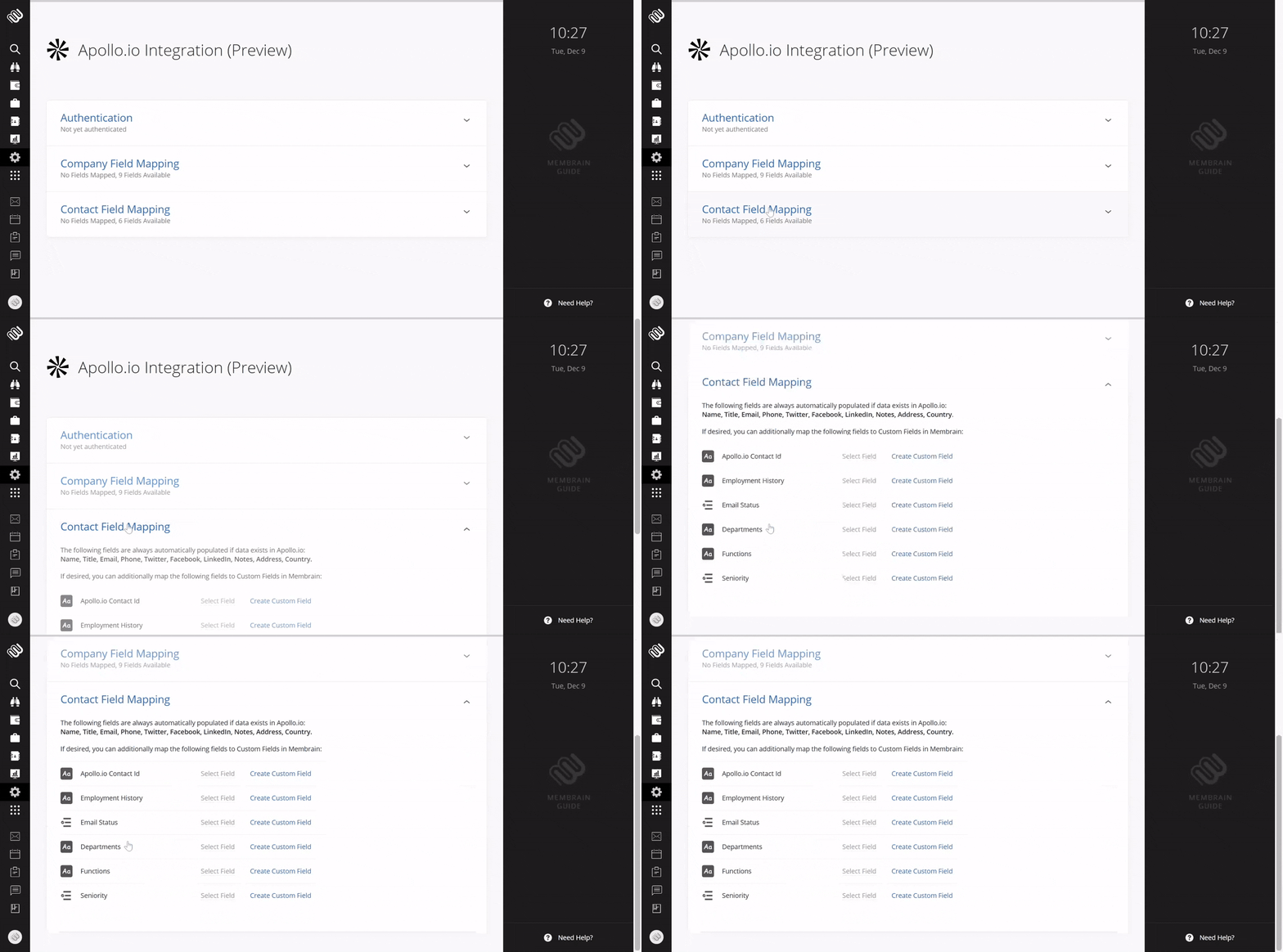
Just like company records, core contact details are automatically populated when data is available.
In addition to these core fields, you may also map fields such as Apollo contact ID, employment history, email status, department, function, and seniority, to custom contact fields in Membrain. These can be linked to existing fields in your instance, or you can create new custom fields directly from the mapping interface to ensure accurate data alignment.
Apollo supports direct enrichment of missing email and phone details within project workflows and contact dialogs:
When sending an email from a project, you can trigger enrichment to retrieve an email address if it’s not already present.
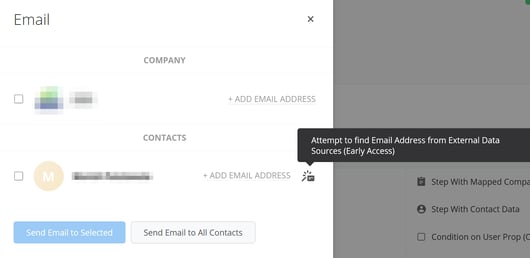
When editing a contact’s email or phone field, the Enrich button allows you to automatically search for and apply verified information.
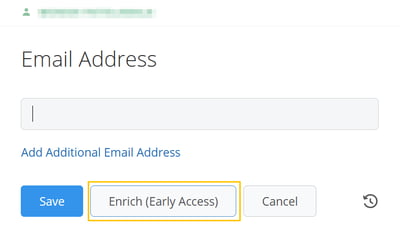
These actions are designed to save time and improve data accuracy without requiring the user to leave their current task. Depending on the data source and availability, enrichment may take a few moments to complete. Once initiated, you can continue working—Membrain will complete the update in the background.
The Apollo integration provides a powerful way to access external company and contact data, enriching your CRM and accelerating prospecting without changing how your team works. With flexible field mapping, seamless enrichment, and full integration into existing search workflows, Apollo supports sales excellence through smarter data.
To get started, enable the integration in System Setup and configure your field mappings to match your CRM needs.
For further support, please reach out to your Membrain Customer Success Advocate or email support@membrain.com.




