Popular Content
Membrain for:
The ZoomInfo integration in Membrain provides sales teams with access to rich, verified data on companies and contacts—directly within the tools they already use. With this integration, users can search for external companies, discover key contacts, and enrich email and phone details without leaving the workflow.
This article explains how to enable ZoomInfo, where it’s used, and how to configure field mappings for consistent, accurate data management.
When ZoomInfo is integrated into your Membrain environment, you can:
Search for and add external companies using enriched ZoomInfo data
Discover and add new contacts associated with a company
Enrich missing or incomplete contact email and phone details directly within project workflows
Automatically populate key fields using verified third-party data
Map additional ZoomInfo data to your own custom Membrain fields
The integration helps improve prospecting efficiency, ensures higher data accuracy, and supports more effective outreach.
ZoomInfo powers several core data tools across Membrain. When enabled, it becomes the active provider in the Find External Companies workflow and is fully integrated with the Enrichment feature. Users can search for verified companies and contacts, and enrich contact details like email and phone directly from your projects or contact records.
To enable ZoomInfo in Membrain:
Go to System Setup and scroll down to the Integrations section
Find the ZoomInfo integration and click on it to start the configuration
Open the Setup tab and enter your ZoomInfo Username and Password
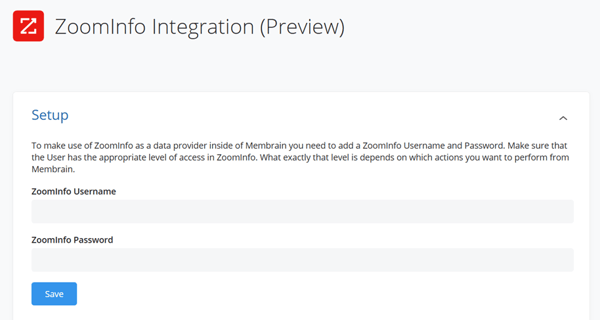
Once saved, ZoomInfo will be used as the default provider for company search and enrichment features.
When data is available, ZoomInfo automatically populates core company fields such as name, phone number, address, description, and social media profiles.
You can also map additional fields from Zoominfo - like total funding, funding events, estimated number of employees, revenue, year founded, company type, industries, competitors, and more, straight to your own custom fields in Membrain. If a field already exists in your instance, you can select it. If not, you can create a new custom field directly within the mapping interface and link it automatically to the ZoomInfo data.
.gif?width=1200&height=594&name=Company%20field%20mapping%20(1).gif)
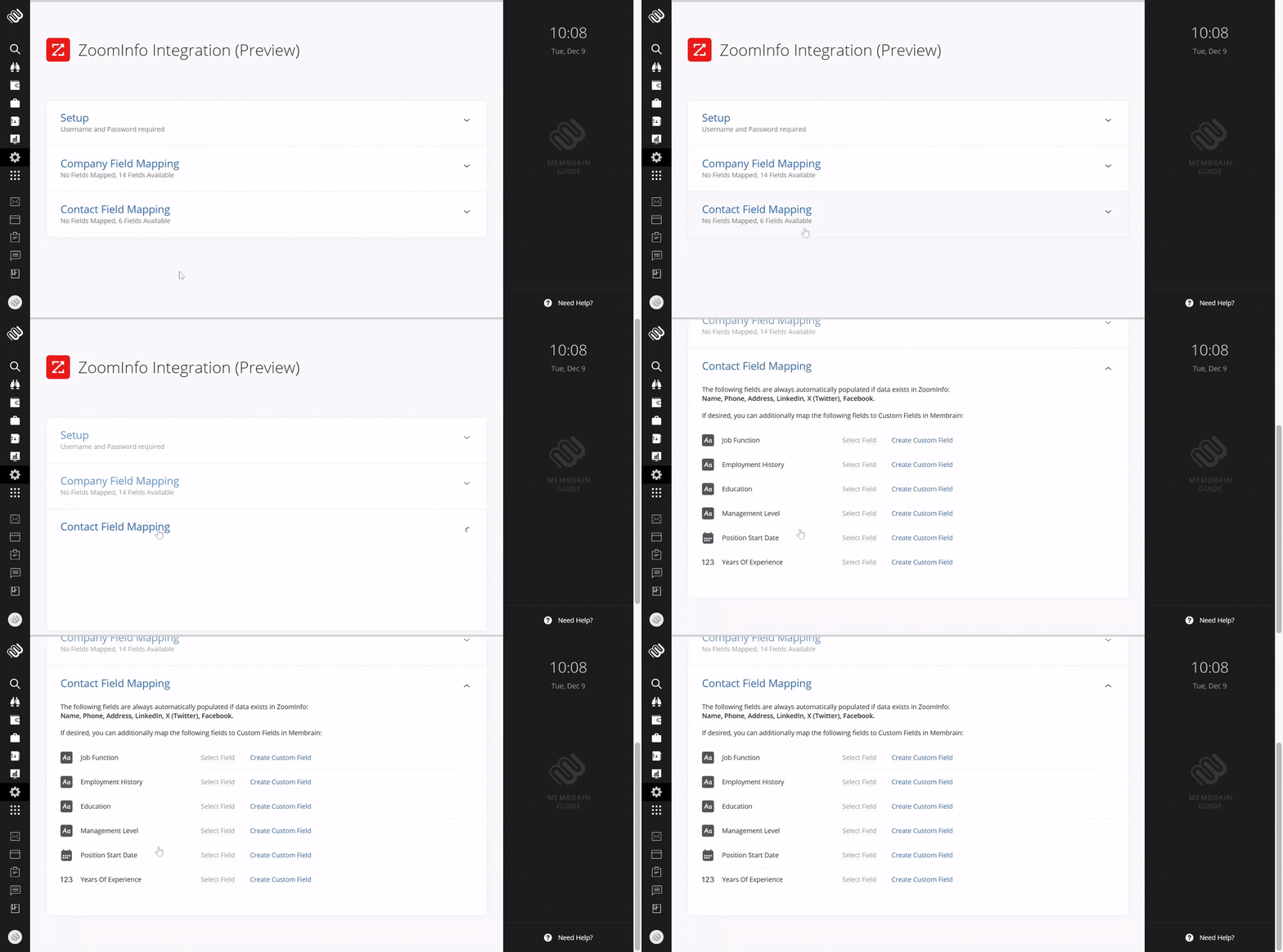
ZoomInfo also auto-fills key contact fields such as name, phone, address, and social media profiles when available.
In addition, you can map fields like employment history, job function, management level, education, seniority, position start date, and years of experience to your contact custom fields in Membrain. As with company fields, you can link to existing fields or create new ones during setup to ensure proper alignment.
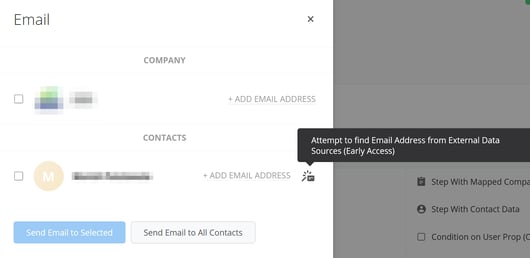
ZoomInfo supports direct enrichment of missing email and phone details within project workflows and contact dialogs:
When sending an email from a project, you can trigger enrichment to retrieve an email address if it’s not already present.
When editing a contact’s email or phone field, the Enrich button allows you to automatically search for and apply verified information.
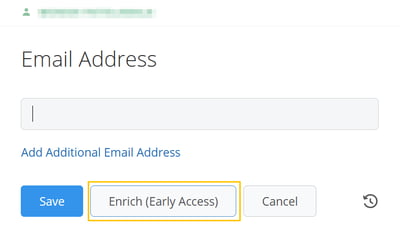
These actions are designed to save time and improve data accuracy without requiring the user to leave their current task. Depending on the data source and availability, enrichment may take a few moments to complete. Once initiated, you can continue working—Membrain will complete the update in the background.
The ZoomInfo integration adds powerful data capabilities to your existing Membrain workflows. Whether enriching contact information, searching for verified companies, or discovering new stakeholders, ZoomInfo helps ensure your team is always working with current, accurate information. With flexible field mapping and native enrichment tools, it supports faster outreach, better data quality, and improved sales execution.
To get started, enable ZoomInfo in System Setup and configure your field mappings to reflect your CRM needs.
For further support, please reach out to your Membrain Customer Success Advocate or email support@membrain.com.




