Popular Content
Membrain for:
Insights in list views help you understand what is happening across multiple records at once. Instead of reviewing projects or prospects one by one, you can use insights to identify patterns, risks, and opportunities directly from your current view.
This allows you to move from simply viewing data to understanding what needs attention and taking action more quickly.
Insights are most useful when you need to understand what requires attention across a large set of records.
For example, you might use insights during a pipeline review to identify risks, in prospecting to focus on stalled or unqualified prospects, or in account management to detect gaps in stakeholder coverage.
By combining insights with actions like Ask AI and guided recommendations, you can quickly move from observation to execution and focus your time where it will have the greatest impact.
Insights are available in Prospecting, Sales Projects, and Account Growth Project views.
When working in one of these areas, you can access insights directly from your current view. The insights you see are always tied to the data in that view, meaning they are influenced by the filters and saved view you are using.
If there are no relevant insights available for the current view, the option to open insights will not appear.

Insights are not static. They are generated based on the records currently visible in your view.
This means that if two users are looking at different views, or using different filters, they may see different insights. For example, a view showing active projects may surface pipeline risks, while a view with no matching records will not show any insights at all.
Because of this, insights should always be interpreted in the context of the filters and view you are working in.
Insights are grouped into categories that highlight areas requiring attention.
In Sales Projects, insights often focus on pipeline health and deal risk. This can include identifying an unbalanced pipeline, projects with red flags, or projects that are missing stakeholders.
In Prospecting, insights highlight areas such as prospects with red flags, prospects without stakeholders, and prospects that have had no activity or progress for an extended period. They may also identify prospects that should be considered for disqualification based on their qualifiers.
In Account Growth Projects, insights focus on identifying risks and gaps, such as projects with red flags or missing stakeholders.
These categories are designed to help you quickly identify where action is needed across your data.
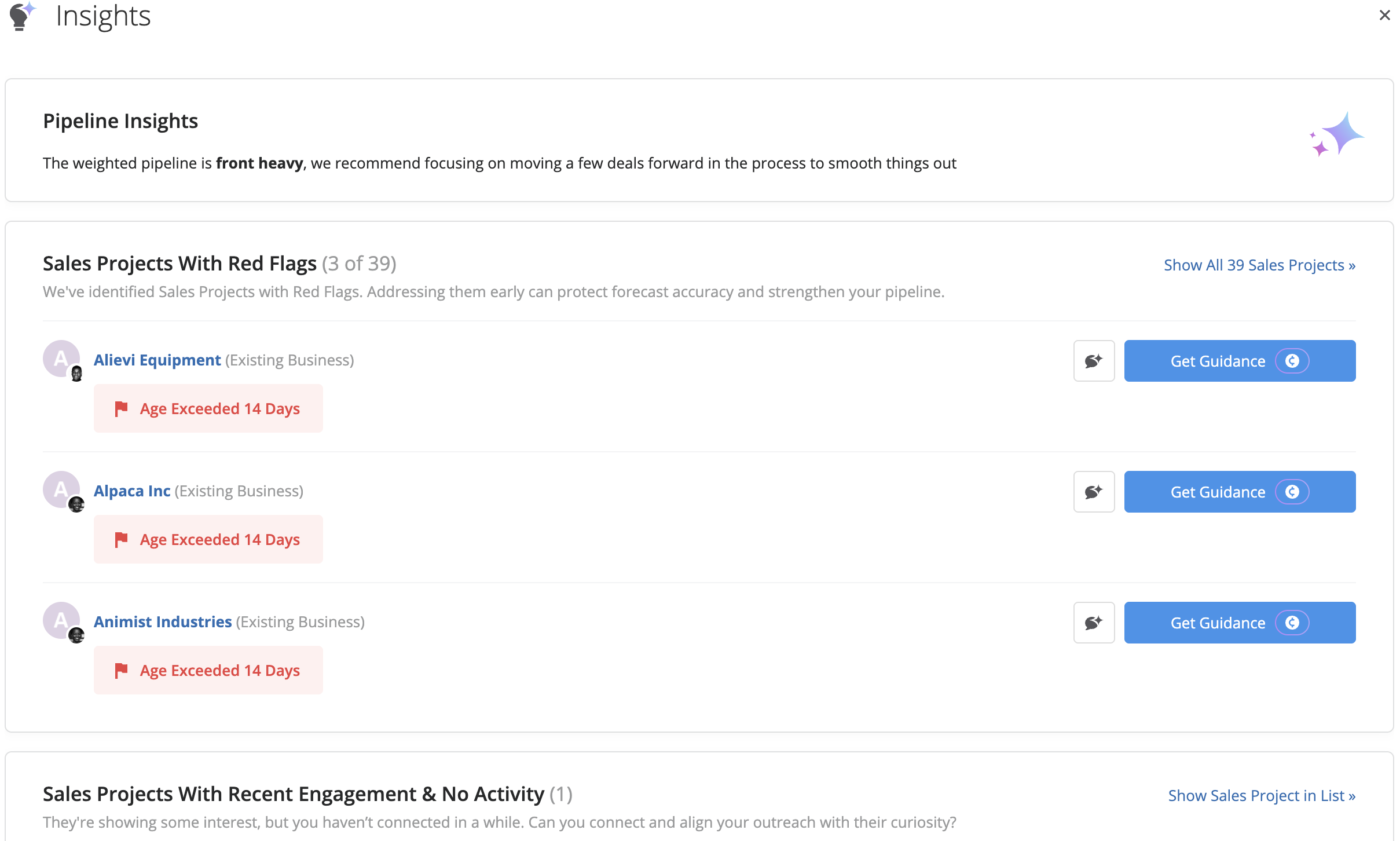
Insights are designed to be actionable, allowing you to respond directly without leaving the view.
From an insight, you can open related steps if available, ask AI about a specific record, or request guidance on what to do next. This makes it possible to move from identifying an issue to taking action without navigating away from your current workflow.
For example, if a project is flagged as at risk, you can immediately ask AI for guidance or review the next recommended steps.

At the top of the insight overlay, you may see graphs that provide a visual summary of recent activity and trends.
These graphs reflect the same filters and view you are currently using, helping you quickly understand how your data is changing over time. For example, you might see trends related to new records, open records, or changes in status over a recent period.
Graphs are only shown when the data in your current view supports them. If the selected filters do not allow the system to calculate the graph accurately, it will not be displayed.

Each insight category shows a limited number of items to keep the view focused.
If you want to see more, you can select the option to view additional items. This will take you to a list view where the relevant filters are applied automatically, allowing you to review the full set of records behind that insight.





