Popular Content
Membrain for:
AI Research helps you quickly understand a company and its environment without leaving your project. Instead of manually searching across multiple sources, you can generate structured insights directly within Membrain, giving you a clear starting point for preparing conversations and understanding your customer’s world.
The capability is designed to support different types of research needs. Whether you are getting familiar with a new account, looking for recent developments, or trying to understand broader industry dynamics, you can choose the type of insight that best fits your situation.
AI Research is most useful when you need to quickly build context around a company or prepare for an interaction.
For example, you might use the Overview to understand a new account, review Company News before reaching out, or explore Industry Trends when positioning your solution in a broader business context. By selecting the right type of research for the situation, you can move from basic information to more informed and relevant conversations.
By keeping research directly within your workflow, you reduce the need to switch between tools and can focus more on applying insights rather than gathering them.
AI Research is available inside a project through the Insight Engine.
To access it, open a project and click the Insight Engine icon in the top right of the toolbar. This opens the Insight Engine panel, where you can access available AI tools.
From here, select Research. This opens a menu with different research options to choose from. Once you select an option, the research is generated and presented in a dedicated dialog.
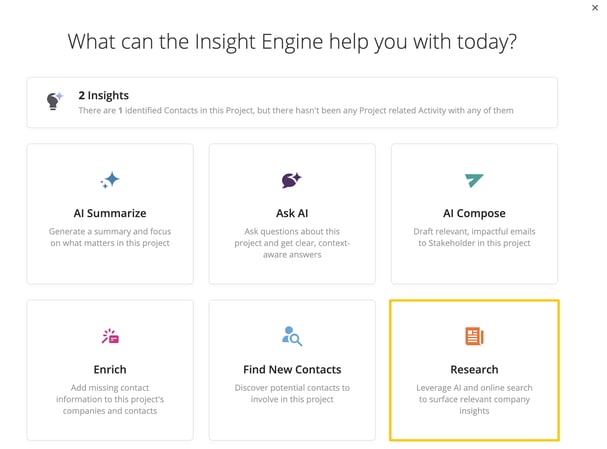
When you select Research, you are presented with multiple options, each one designed to provide a different perspective on the company and its context.
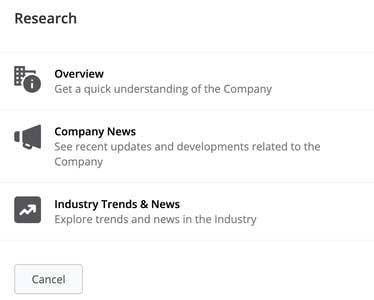
The Overview option provides a high-level summary of the company. It typically includes information such as the company’s industry, products or services, types of customers, geographic presence, and general company size.
This is useful when you are working with a new account or need a quick refresher before a meeting.
The Company News option focuses on recent developments within the organization. This can include updates such as press releases, financial reports, or other notable announcements.
This type of research helps you stay current and identify potential triggers for outreach or conversation.
The Industry Trends & News option expands the perspective beyond the company itself. It highlights trends, changes, and challenges within the company’s industry.
This is especially useful when preparing for more strategic conversations, where understanding the broader environment is important.
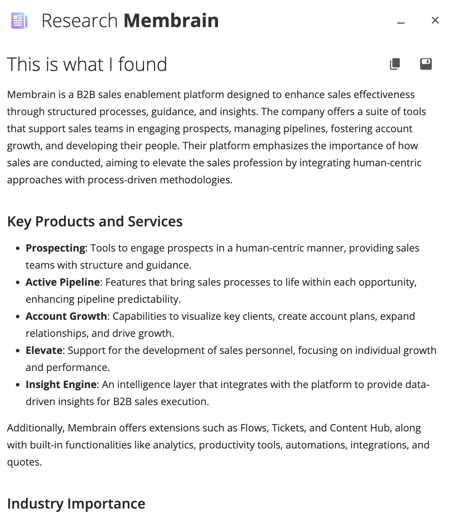
Once you select a research type, Membrain generates insights using AI combined with publicly available information. The results are presented in a dedicated dialog, typically structured into sections that make the information easy to review.
This may include a company overview, recent developments, and broader industry context depending on the selected research type. The goal is to provide a clear and usable summary that helps you quickly get up to speed.
Because the results are generated using AI and external data sources, they should be used as a starting point. It is recommended to review the information and verify important details before using it in customer-facing situations.
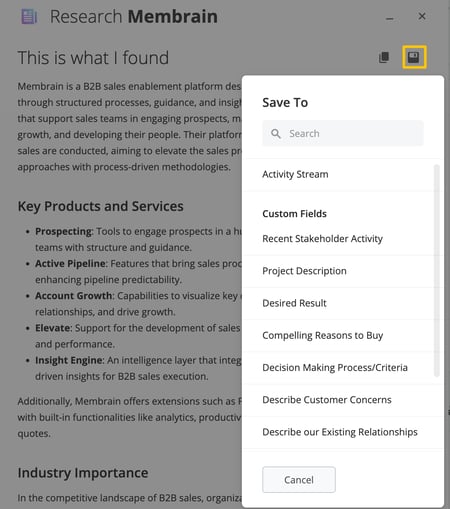
Once research has been generated, you can use the output in several ways depending on your workflow.
You can copy the results to your clipboard and use them in emails, documents, or other notes. You can also save the results directly within Membrain, either as a note in the activity stream or into a field on the project.
When saved to the activity stream, the research appears as a non-editable note, making it easy to reference later while preserving the original output.
AI Research can also be triggered automatically as part of an Event. This allows research to begin in the background when a specific action occurs, helping you keep projects up to date without manually starting the research yourself. For information on configuring Events, see our Events article.
When an Event triggers AI Research, it uses one of the research types described earlier in this article. The research request is processed in the background, and you can monitor its progress from the Membrain Guide. Once complete, you'll receive a notification that the research is ready.
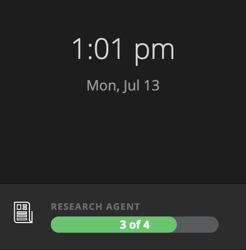
After the research has finished, it is added to the project's Activity Stream. Hover over the completed research entry to view the generated results, making it easy to review the information without leaving the project.
For example, you might configure an Event to trigger Company News research whenever a sales project reaches a "Prepare for Meeting" step. By the time you're ready to review the project, the latest company research has already been generated and is available directly from the Activity Stream.




